
QCategoryAxis Class
QCategoryAxis 클래스는 축에 이름이 지정된 범위를 배치합니다. 더 보기...
| Header: | #include <QCategoryAxis> |
| In QML: | CategoryAxis |
| Inherits: | QValueAxis |
| Status: | Deprecated |
이 클래스는 더 이상 권장되지 않습니다. 새로운 코드에서는 이 클래스를 사용하지 않는 것이 좋습니다.
공개 유형
| enum | AxisLabelsPosition { AxisLabelsPositionCenter, AxisLabelsPositionOnValue } |
속성
- categoriesLabels : QStringList
- count : int
- labelsPosition : AxisLabelsPosition
- startValue : qreal
공개 함수
| QCategoryAxis(QObject *parent = nullptr) | |
| virtual | ~QCategoryAxis() |
| void | append(const QString &categoryLabel, qreal categoryEndValue) |
| QStringList | categoriesLabels() |
| int | count() const |
| qreal | endValue(const QString &categoryLabel) const |
| QCategoryAxis::AxisLabelsPosition | labelsPosition() const |
| void | remove(const QString &categoryLabel) |
| void | replaceLabel(const QString &oldLabel, const QString &newLabel) |
| void | setLabelsPosition(QCategoryAxis::AxisLabelsPosition position) |
| void | setStartValue(qreal min) |
| qreal | startValue(const QString &categoryLabel = QString()) const |
재구현된 공용 함수
| virtual QAbstractAxis::AxisType | type() const override |
신호
| void | categoriesChanged() |
| void | labelsPositionChanged(QCategoryAxis::AxisLabelsPosition position) |
상세 설명
이 클래스는 레이블이 지정된 범주를 추가하여 기본 데이터를 설명하는 데 사용할 수 있습니다. ` QBarCategoryAxis`와 달리, `QCategoryAxis`는 범주 범위의 너비를 자유롭게 지정할 수 있게 해줍니다.
QCategoryAxis 사용 방법에 대한 예제 코드:
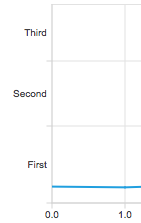
QChartView *chartView = new QChartView;
QLineSeries *series = new QLineSeries;
// ...
chartView->chart()->addSeries(series);

QCategoryAxis *axisY = new QCategoryAxis;
axisY->setMin(0);
axisY->setMax(52);
axisY->setStartValue(15);
axisY->append("First", 20);
axisY->append("Second", 37);
axisY->append("Third", 52);
chartView->chart()->setAxisY(axisY, series);
멤버 유형 문서
enum QCategoryAxis::AxisLabelsPosition
이 열거형은 카테고리 레이블의 위치를 나타냅니다.
| 상수 | 값 | 설명 |
|---|---|---|
QCategoryAxis::AxisLabelsPositionCenter | 0x0 | 라벨이 범주 중앙에 정렬됩니다. |
QCategoryAxis::AxisLabelsPositionOnValue | 0x1 | 라벨이 카테고리의 상단 경계선에 위치합니다. |
속성 설명
[read-only] categoriesLabels : QStringList
이 속성은 카테고리 레이블을 문자열 목록 형태로 저장합니다.
액세스 함수:
| QStringList | categoriesLabels() |
[read-only] count : int
이 속성은 카테고리 수를 저장합니다.
액세스 함수:
| int | count() const |
labelsPosition : AxisLabelsPosition
이 속성은 범주 레이블의 위치를 지정합니다. 축의 시작점과 끝점에 있는 레이블은 ‘값’을 기준으로 배치될 경우 다른 축의 레이블과 겹칠 수 있습니다.
액세스 함수:
| QCategoryAxis::AxisLabelsPosition | labelsPosition() const |
| void | setLabelsPosition(QCategoryAxis::AxisLabelsPosition position) |
알림 신호:
| void | labelsPositionChanged(QCategoryAxis::AxisLabelsPosition position) |
startValue : qreal
이 속성은 축에서 첫 번째 범주의 하한값을 나타냅니다.
액세스 함수:
| qreal | startValue(const QString &categoryLabel = QString()) const |
| void | setStartValue(qreal min) |
멤버 함수 설명서
[explicit] QCategoryAxis::QCategoryAxis(QObject *parent = nullptr)
parent 의 자식인 축 객체를 생성합니다.
[virtual noexcept] QCategoryAxis::~QCategoryAxis()
객체를 삭제합니다.
void QCategoryAxis::append(const QString &categoryLabel, qreal categoryEndValue)
categoryLabel 라는 레이블을 가진 새로운 범주를 축에 추가합니다. 범주 레이블은 고유해야 합니다. categoryEndValue 는 해당 범주의 상한값을 지정합니다. 이 값은 이전 범주의 상한값보다 커야 합니다. 그렇지 않으면 이 메서드는 새로운 범주를 추가하지 않고 반환됩니다.
[signal] void QCategoryAxis::categoriesChanged()
이 신호는 축의 범주가 변경될 때 발생합니다.
QStringList QCategoryAxis::categoriesLabels()
카테고리의 레이블 목록을 반환합니다.
참고: categoriesLabels 속성에 대한게터 함수입니다.
int QCategoryAxis::count() const
카테고리 수를 반환합니다.
참고: count 속성에 대한게터 함수입니다.
qreal QCategoryAxis::endValue(const QString &categoryLabel) const
categoryLabel 로 지정된 범주의 상한값을 반환합니다.
void QCategoryAxis::remove(const QString &categoryLabel)
categoryLabel 라는 레이블로 지정된 범주를 축에서 제거합니다.
void QCategoryAxis::replaceLabel(const QString &oldLabel, const QString &newLabel)
oldLabel 로 지정된 기존 카테고리 레이블을 newLabel 로 대체합니다. 기존 레이블이 존재하지 않는 경우, 이 메서드는 아무런 변경도 가하지 않고 반환합니다.
void QCategoryAxis::setStartValue(qreal min)
min 를 축의 첫 번째 범주의 하한값으로 설정합니다. 축에 이미 범주가 추가된 경우, 전달된 값은 이미 정의된 첫 번째 범주 범위의 상한값보다 작아야 합니다. 그렇지 않으면 아무 작업도 수행되지 않습니다.
참고: startValue 속성에 대한세터 함수입니다.
startValue()도 참조하십시오 .
qreal QCategoryAxis::startValue(const QString &categoryLabel = QString()) const
categoryLabel 로 지정된 범주의 하한값을 반환합니다.
참고: startValue 속성에 대한게터 함수입니다.
참조: setStartValue().
[override virtual] QAbstractAxis::AxisType QCategoryAxis::type() const
QValueAxis::type() const를 재구현합니다.
축의 유형을 반환합니다.
© 2026 The Qt Company Ltd. Documentation contributions included herein are the copyrights of their respective owners. The documentation provided herein is licensed under the terms of the GNU Free Documentation License version 1.3 as published by the Free Software Foundation. Qt and respective logos are trademarks of The Qt Company Ltd. in Finland and/or other countries worldwide. All other trademarks are property of their respective owners.
