
Desaturate QML Type
색상의 채도를 낮춥니다. 더 보기...
| Import Statement: | import Qt5Compat.GraphicalEffects |
| Since: | QtGraphicalEffects 1.0 |
| Inherits: |
속성
- cached : bool
- desaturation : real
- source : variant
상세 설명
채도가 제거된 픽셀 값은 원본 항목의 원래 RGB 구성 요소 값의 평균으로 계산됩니다.
| 소스 | 효과 적용 |
|---|---|
|
|
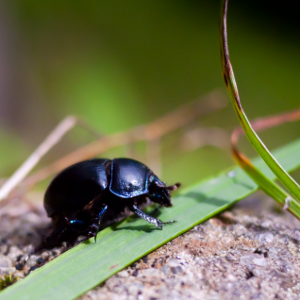

예
다음 예제는 이 효과를 적용하는 방법을 보여줍니다.
import QtQuick
import Qt5Compat.GraphicalEffects

Item {
    width: 300
    height: 300

    Image {
        id: bug
        source: "images/bug.jpg"
        sourceSize: Qt.size(parent.width, parent.height)
        smooth: true
        visible: false
    }

    Desaturate {
        anchors.fill: bug
        source: bug
        desaturation: 0.8
    }
}
속성 설명
cached : bool
이 속성을 사용하면 렌더링 성능을 향상시키기 위해 이펙트 출력 픽셀을 캐시에 저장할 수 있습니다.
소스나 효과 속성이 변경될 때마다 캐시에 저장된 픽셀을 업데이트해야 합니다. 효과 출력을 저장하기 위해 추가 메모리 버퍼가 필요하므로 메모리 사용량이 증가합니다.
소스 또는 효과 속성이 애니메이션 처리될 때는 캐시를 비활성화하는 것이 좋습니다.
기본적으로 이 속성은 ' false'로 설정되어 있습니다.
desaturation : real
이 속성은 소스 색상의 채도를 얼마나 낮출지 정의합니다.
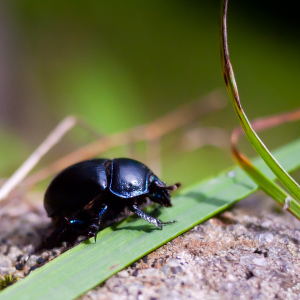
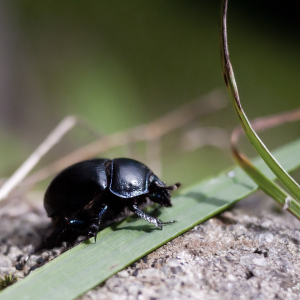
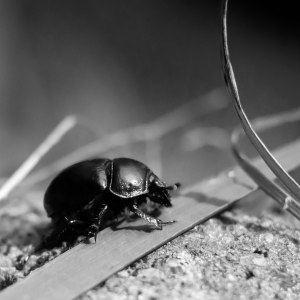
값의 범위는 0.0(변경 없음)부터 1.0(채도 감소)까지입니다. 기본적으로 이 속성은 0.0 (변경 없음)로 설정되어 있습니다.
| 다양한 채도 감소 값을 적용한 출력 예시 | ||
|---|---|---|
|
|
|
| 채도 감소: 0.0 | 채도 감소: 0.5 | 채도 감소: 1.0 |
source : variant
이 속성은 이펙트에 소스 픽셀을 제공하는 소스 항목을 정의합니다.
참고: 예를 들어 소스를 효과의 상위 항목으로 설정하는 등, 효과가 스스로를 포함하도록 하는것은 지원되지않습니다 .
© 2026 The Qt Company Ltd. Documentation contributions included herein are the copyrights of their respective owners. The documentation provided herein is licensed under the terms of the GNU Free Documentation License version 1.3 as published by the Free Software Foundation. Qt and respective logos are trademarks of The Qt Company Ltd. in Finland and/or other countries worldwide. All other trademarks are property of their respective owners.
