
导入和导出键盘快捷键
您可以使用以 .kms 文件形式存储的不同键盘快捷键映射方案。
要导入和导出键盘快捷键映射方案:
- 选择“Preferences ” > “Environment ” > “Keyboard ”。
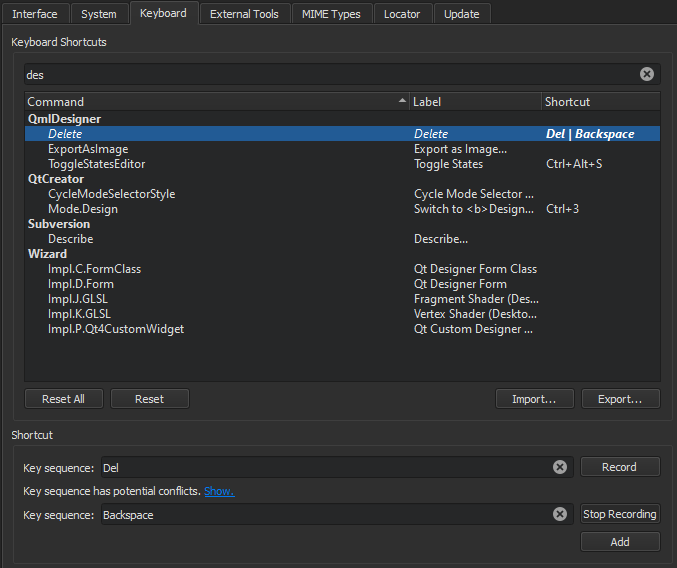
- 要导入键盘快捷键映射方案,请选择“Import ”,然后选择包含您要导入的键盘快捷键映射方案的 .kms 文件。
- 要导出当前的键盘快捷键映射方案,请单击“Export ”,然后选择要保存导出 .kms 文件的位置。
Copyright © The Qt Company Ltd. and other contributors. Documentation contributions included herein are the copyrights of their respective owners. The documentation provided herein is licensed under the terms of the GNU Free Documentation License version 1.3 as published by the Free Software Foundation. Qt and respective logos are trademarks of The Qt Company Ltd in Finland and/or other countries worldwide. All other trademarks are property of their respective owners.
