
创建 Compiler Explorer 会话
注意:需启用 Compiler Explorer 插件才能使用该功能。
要为 Qt、C++、C++ 或 Python 项目创建 Compiler Explorer 会话:
- 转到“File ” > “New File ”。
- 选择“Compiler Explorer ”,然后选择以下选项之一:
- Compiler Explorer C++ Source
- Compiler Explorer Python Source
- Compiler Explorer Qt & C++ Source
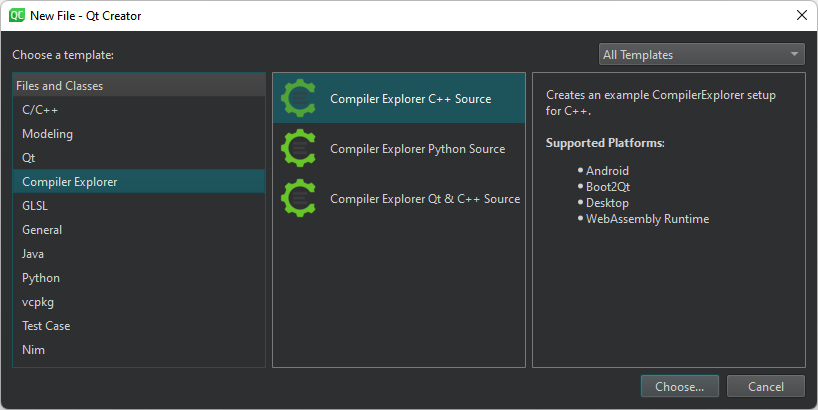
- 选择“Choose ”。
- 按照向导的说明,将示例编译器资源管理器会话保存为基于 JSON 的
.qtce文件,并将其打开。
Copyright © The Qt Company Ltd. and other contributors. Documentation contributions included herein are the copyrights of their respective owners. The documentation provided herein is licensed under the terms of the GNU Free Documentation License version 1.3 as published by the Free Software Foundation. Qt and respective logos are trademarks of The Qt Company Ltd in Finland and/or other countries worldwide. All other trademarks are property of their respective owners.
