
创建 Squish 测试套件
要创建新的测试套件:
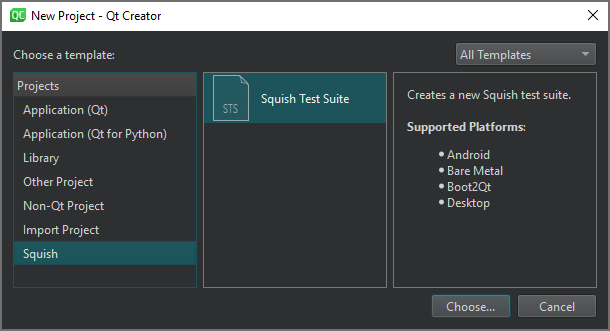
- 转到“File ” > “New Project ”。
- 选择“Squish ” > “Squish Test Suite ” > “Choose ”。
- 在“Location ”页面中,于“Test Suite Name ”字段中输入测试套件的名称。
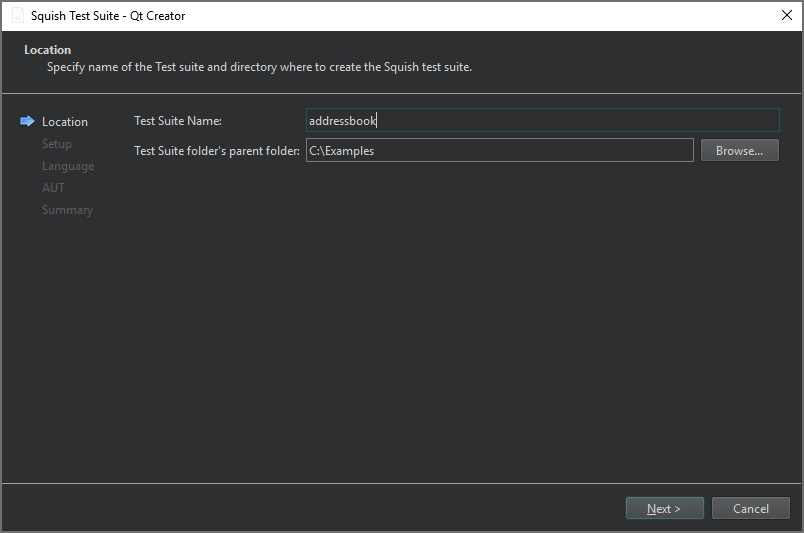
- 在“Test Suite folder's parent folder ”中,输入要创建测试套件文件夹的路径,然后选择“Next ”。
- 在“Setup ”页面上,选择被测应用程序(AUT)使用的 GUI 工具包,然后选择“Next ”。
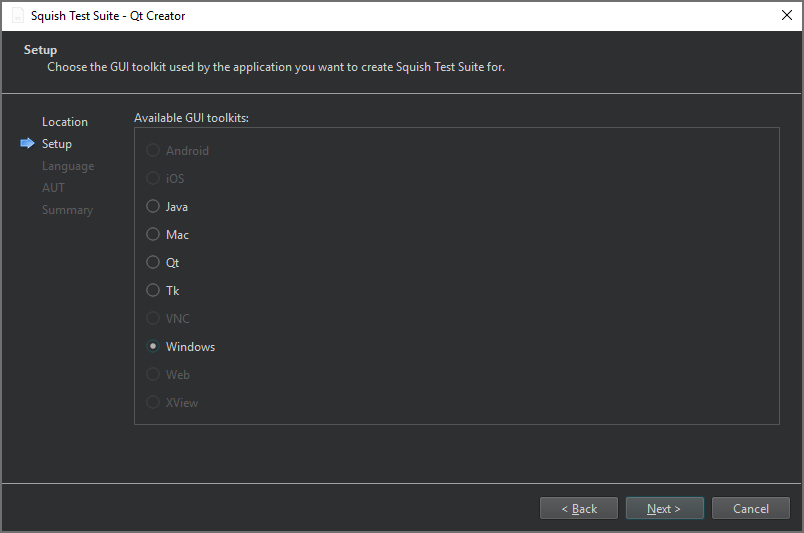
目前仅支持桌面GUI工具包。
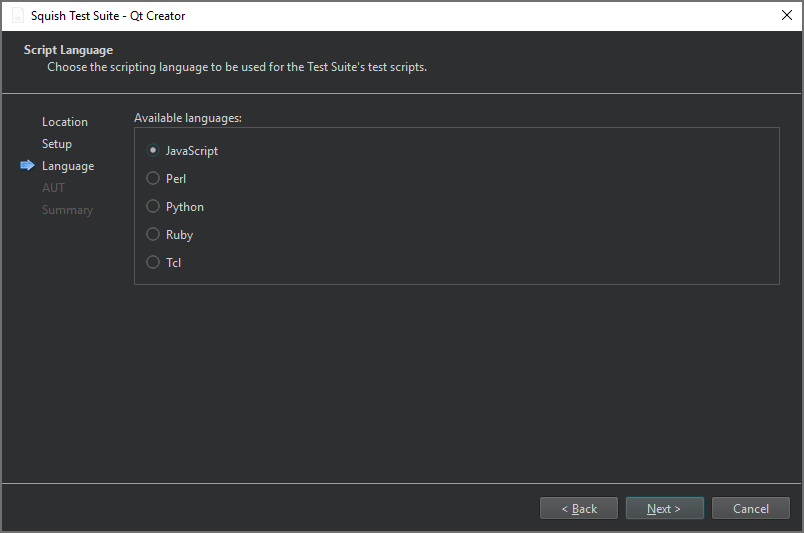
- 在“Script Language ”页面上,选择要用于测试套件测试脚本的脚本语言,然后选择“Next ”。
- 在“AUT ”页面上,选择要测试的 AUT,然后选择“Next ”。
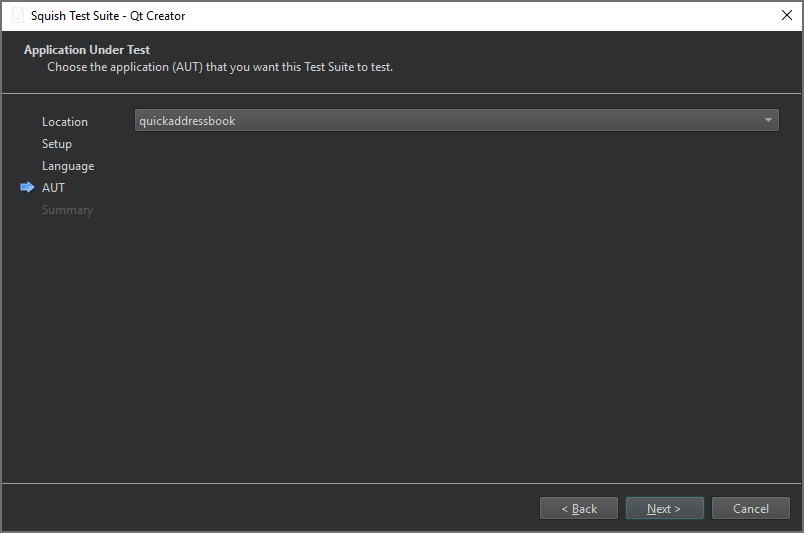
- 在“Summary ”页面上,查看测试套件设置,然后选择“Finish ”以创建测试套件。
该测试套件将显示在“Test Suites ”的“Squish ”侧边栏视图中。
另请参阅 “连接到 Squish 服务器”、“管理 Squish 测试套件和测试用例”、“启用和禁用插件”、“选择 Squish 被测应用程序”以及“Squish”。
Copyright © The Qt Company Ltd. and other contributors. Documentation contributions included herein are the copyrights of their respective owners. The documentation provided herein is licensed under the terms of the GNU Free Documentation License version 1.3 as published by the Free Software Foundation. Qt and respective logos are trademarks of The Qt Company Ltd in Finland and/or other countries worldwide. All other trademarks are property of their respective owners.
