
チュートリアル:Qtのサンプルプロジェクトのビルドと実行
このチュートリアルでは、VS CodeでQtのサンプルを開く方法について説明します。 Qt Online Installer インストールが正常に行われたかを確認するには、既存のサンプルアプリケーションプロジェクトを開き、ビルドして実行してください。
開始する前に
開始する前に、次の手順を実行する必要があります:
Qtのサンプルを開く
- Welcome に移動し、「Examples 」を選択します。
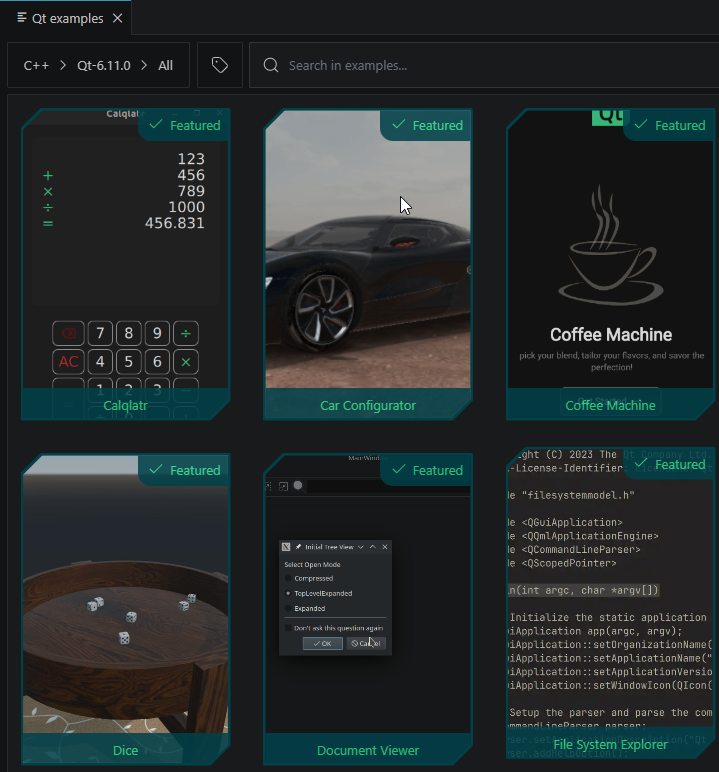
サンプルが表示されない場合は、Qt versions のリストが空になっていないか確認してください。
- サンプル一覧からサンプルを選択してください。
タグを使用してサンプルを絞り込むこともできます。
- 「New project 」を選択して、サンプルプロジェクトに基づいて新しいプロジェクトを作成します。
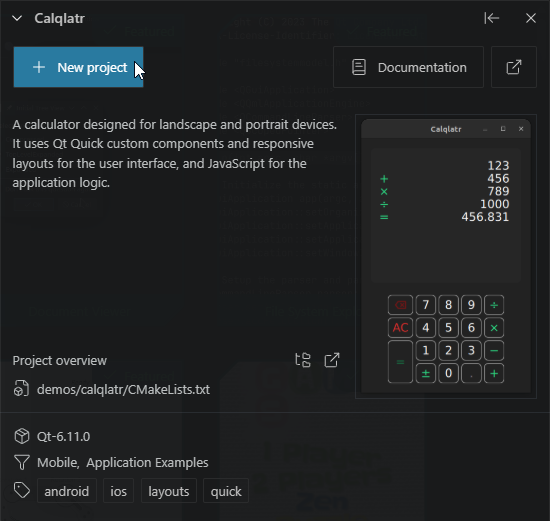
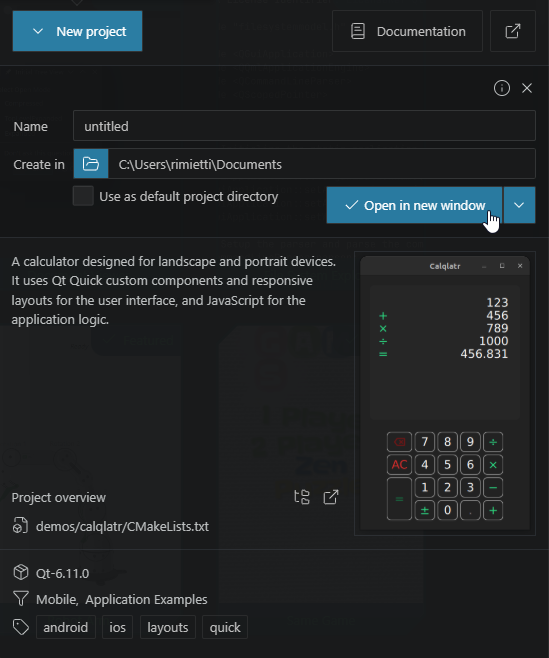
- 「Name 」で、プロジェクトの名前を入力します。
- 「Open in new window 」を選択します。
- プロジェクトのビルドおよび実行に使用するキットを選択します。
- ステータスバーで [
 ] を選択します。
 - プロジェクトをビルドして実行するための起動ターゲットとして、実行ファイルを選択します。
「インストール」、「Qt のインストール登録」、「チュートリアル」、「Qt プロジェクトの作成」も参照してください 。
© 2026 The Qt Company Ltd. Documentation contributions included herein are the copyrights of their respective owners. The documentation provided herein is licensed under the terms of the GNU Free Documentation License version 1.3 as published by the Free Software Foundation. Qt and respective logos are trademarks of The Qt Company Ltd in Finland and/or other countries worldwide. All other trademarks are property of their respective owners.
