
5.4.1. Requirements
The Axivion CLion Plugin supports CLion 2024.1 and higher.
Note that using local analyses features (local build and single-file analysis) has additional requirements. They are the requirements of the Analysis as well as those of the Dashboard Server in the respective version of the connected Axivion Suite.
Caution
The embedded Chromium browser in CLion has a bug on certain newer Linux distributions, such as Ubuntu 24.04.
If you experience an unexpected crash when opening the Issue Properties, please add ide.browser.jcef.sandbox.enable=false to the IDE start properties (Actions > Edit Custom Properties).
5.4.2. Installation
The Axivion CLion Plugin is distributed via the Axivion Dashboard Server. You configure CLion
with a new repository or download the plugin as a Axivion.CLionPlugin.zip
package file. Alternatively, you can also find this file in the directory
doc/CLionPlugin in the Axivion Suite installation folder.
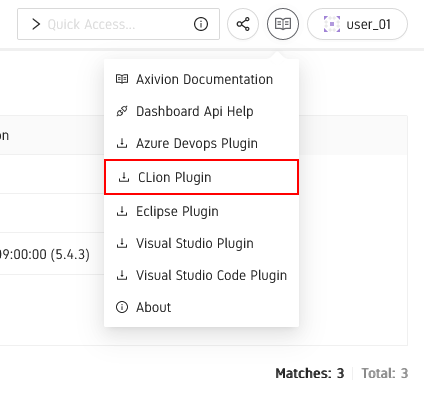
Axivion CLion Plugin Download
To view analysis results from the Axivion Dashboard Server, the Axivion CLion Plugin does not require the Axivion Suite to be installed.
Please refer to the official documentation on adding repositories. If this is done, the Axivion CLion Plugin can be installed via the Marketplace as usual.
Please refer to the official documentation on installing plugins
to install the Axivion.CLionPlugin.zip package file.
Caution
The installation does not require administrator permissions, and installs the plugin for the current user account only.
Once the plugin is installed you can open the File > Settings window and
select the Tools > Axivion extension to view the extension settings page shown
in figure Axivion CLion Plugin Plugin Dialog. There you can inspect the currently
installed version and the available settings.
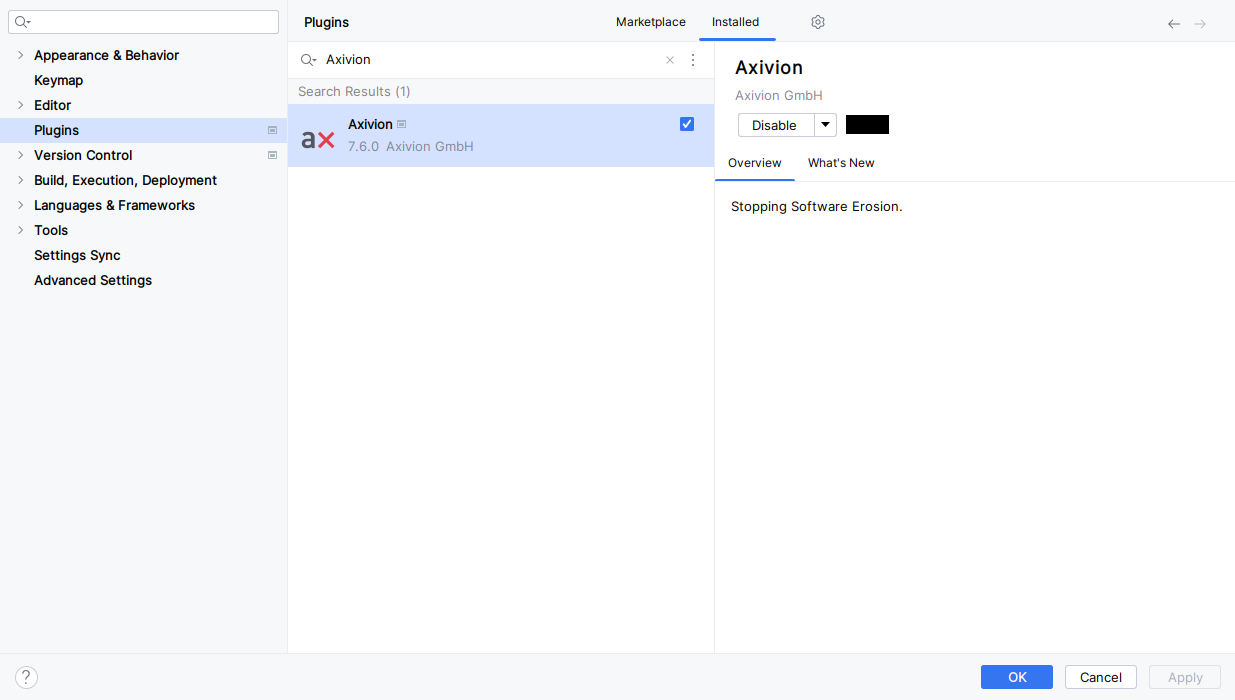
Axivion CLion Plugin Plugin Dialog
To upgrade the plugin to a newer version, simply upgrade via the Marketplace after a
Axivion Dashboard Server upgrade or install the .zip file of the new version. The
previously installed version will be overwritten; it is not necessary to
uninstall the old version prior to an upgrade.
5.4.3. Installation for remote development
Note
Please refer to the official documentation on remote development first.
Install a compatible CLion IDE which supports remote development, e.g. 2025.2.x.
CLion calls the system running the IDE Host and the one displaying the UI Client.
For example when starting CLion inside WSL, WSL is the Host and Windows is the Client.
The start dialog offers the options to start a CLion instance on your remote Host, e.g. WSL2.
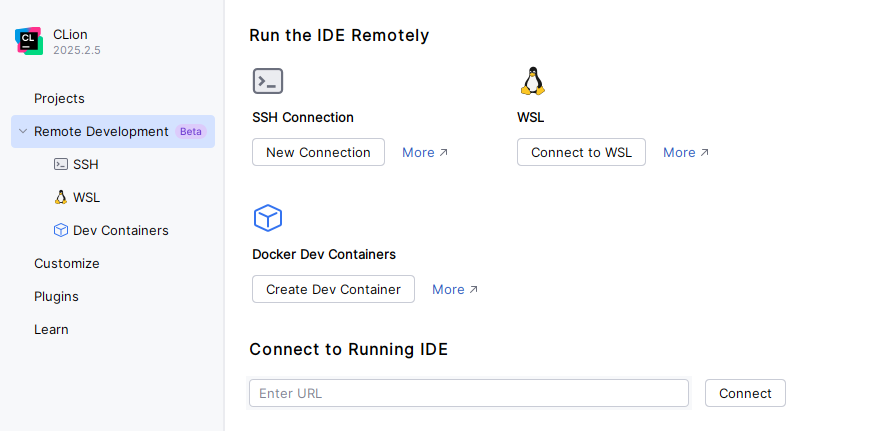
Run the IDE Remotely
To use the Axivion CLion Plugin with the remote development feature, the Axivion CLion Plugin needs to be installed on the remote plugin Host.
This is done under Settings > Plugins by clicking the Install Plugin from Disk (on Host) button in the cogwheel menu.
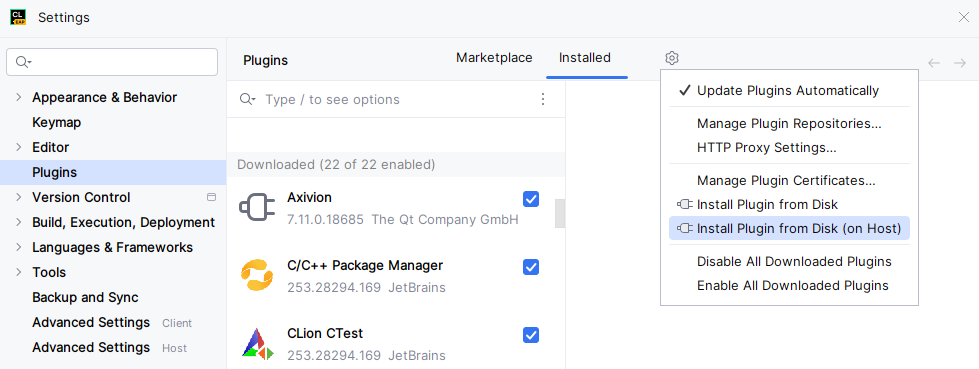
Install the Axivion CLion Plugin on the Host
A restart of the IDE is required to load the plugin on the remote Host.
Please note that features like accessing the Axivion Dashboard Server will be executed on the Host.
Keep this in mind when configuring path mappings, the Local Build, the Single File Analysis and the Axivion Suite in the Configuration section.