
Qt Quick 예제 - 애니메이션
이곳은 QML 애니메이션 예제 모음입니다.
애니메이션은 애니메이션과 관련된 간단한 QML 예제 모음입니다. 각 예제는 특정 유형이나 기능을 강조하는 간단한 QML 파일입니다.
애니메이션에 대한 자세한 내용은 ‘ Qt Quick 의 중요한 개념 - 상태, 전환 및 애니메이션’을 참조하십시오.
예제 실행
다음 단계에 따라 예제를 실행할 수 있습니다.
- Qt Creator
Welcome 모드를 열고 Examples 에서 예제를 선택하십시오. 자세한 내용은 Qt Creator 의 ‘튜토리얼: 빌드 및 실행’을 참조하십시오.
- Qt Extension for Visual Studio Code
Command Palette 에서 Qt: Open Qt examples 명령을 실행하고 목록에서 예제를 선택합니다. 자세한 내용은 Qt Extension for Visual Studio Code 의 ‘튜토리얼: 빌드 및 실행’을 참조하십시오.
ColorAnimation
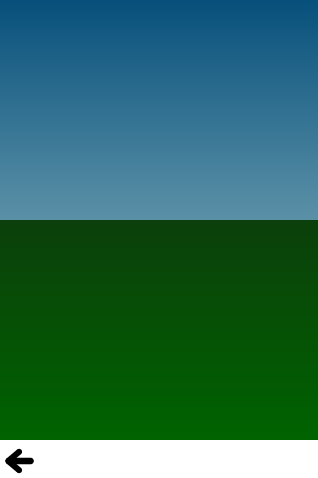
ColorAnimation은 색상 애니메이션을 사용하여 하늘이 낮에서 밤으로 변해가는 모습을 표현합니다.
gradient: Gradient {
    GradientStop {
        position: 0.0
        SequentialAnimation on color {
            loops: Animation.Infinite
            ColorAnimation { from: "#14148c"; to: "#0E1533"; duration: 5000 }
            ColorAnimation { from: "#0E1533"; to: "#14148c"; duration: 5000 }
        }
    }
    GradientStop {
        position: 1.0
        SequentialAnimation on color {
            loops: Animation.Infinite
            ColorAnimation { from: "#14aaff"; to: "#437284"; duration: 5000 }
            ColorAnimation { from: "#437284"; to: "#14aaff"; duration: 5000 }
        }
    }
}
PropertyAnimation
PropertyAnimation은 숫자 애니메이션을 사용하여 원을 위아래로 튀게 합니다.
// Animate the y property. Setting loops to Animation.Infinite makes the
// animation repeat indefinitely, otherwise it would only run once.
SequentialAnimation on y {
    loops: Animation.Infinite

    // Move from minHeight to maxHeight in 300ms, using the OutExpo easing function
    NumberAnimation {
        from: smiley.minHeight; to: smiley.maxHeight
        easing.type: Easing.OutExpo; duration: 300
    }

    // Then move back to minHeight in 1 second, using the OutBounce easing function
    NumberAnimation {
        from: smiley.maxHeight; to: smiley.minHeight
        easing.type: Easing.OutBounce; duration: 1000
    }

    // Then pause for 500ms
    PauseAnimation { duration: 500 }
}
Animators
Animators는 애니메이터를 사용하여 아이콘이 위아래로 튀어 오르게 합니다.
SequentialAnimation {
    SequentialAnimation {
        ParallelAnimation {
            YAnimator {
                target: smiley;
                from: smiley.minHeight;
                to: smiley.maxHeight
                easing.type: Easing.OutExpo;
                duration: 300
            }
            ScaleAnimator {
                target: shadow
                from: 1
                to: 0.5
                easing.type: Easing.OutExpo;
                duration: 300
            }
        }
        ParallelAnimation {
            YAnimator {
                target: smiley;
                from: smiley.maxHeight;
                to: smiley.minHeight
                easing.type: Easing.OutBounce;
                duration: 1000
            }
            ScaleAnimator {
                target: shadow
                from: 0.5
                to: 1
                easing.type: Easing.OutBounce;
                duration: 1000
            }
        }
    }
    PauseAnimation { duration: 500 }
    running: true
    loops: Animation.Infinite
}
Behaviors
Behaviors는 비헤이비어를 사용하여 직사각형을 클릭한 위치로 이동시킵니다.
// Set an 'elastic' behavior on the focusRect's y property.
Behavior on y {
    NumberAnimation {
        easing.type: Easing.OutElastic
        easing.amplitude: 3.0
        easing.period: 2.0
        duration: 300
    }
}
흔들리는 텍스트
흔들리는 텍스트는 텍스트를 드래그할 때 더 복잡한 비헤이비어를 사용하여 텍스트를 애니메이션 처리하고 흔들리는 효과를 보여주는 예제입니다. 이는 각 글자에 복잡한 바인딩을 할당함으로써 구현됩니다:
            x: follow ? follow.x + follow.width : container.width / 6
            y: follow ? follow.y : container.height / 2
그런 다음, 비헤이비어를 사용하여 각 글자의 움직임을 애니메이션화합니다:
            Behavior on x { enabled: container.animated; SpringAnimation { spring: 3; damping: 0.3; mass: 1.0 } }
            Behavior on y { enabled: container.animated; SpringAnimation { spring: 3; damping: 0.3; mass: 1.0 } }
Tv 테니스
Tv Tennis는 복잡한 비헤이비어를 사용하여 라켓이 공을 따라가게 함으로써 끝없이 이어지는 테니스 게임을 시뮬레이션합니다. 이 경우에도 다른 값에 의존하는 바인딩이 위치에 적용되고, 비헤이비어가 애니메이션을 구현했습니다.
이징 커브
‘Easing Curves’는 ‘ Qt Quick ’ 애니메이션에서 사용할 수 있는 모든 이징 커브를 보여줍니다.
상태
'상태'는 항목의 속성이 상태마다 어떻게 달라질 수 있는지 보여줍니다.
다음과 같은 여러 상태를 정의합니다:
// In state 'middleRight', move the image to middleRightRect
State {
    name: "middleRight"
    PropertyChanges {
        userIcon {
            x: middleRightRect.x
            y: middleRightRect.y
        }
    }
},

// In state 'bottomLeft', move the image to bottomLeftRect
State {
    name: "bottomLeft"
    PropertyChanges {
        userIcon {
            x: bottomLeftRect.x
            y: bottomLeftRect.y
        }
    }
}
전환
'Transitions'는 'States' 예제를 바탕으로 전환 효과를 설정하여 속성 변경을 애니메이션으로 표현합니다:
// Transitions define how the properties change when the item moves between each state
transitions: [

    // When transitioning to 'middleRight' move x,y over a duration of 1 second,
    // with OutBounce easing function.
    Transition {
        from: "*"; to: "middleRight"
        NumberAnimation { properties: "x,y"; easing.type: Easing.OutBounce; duration: 1000 }
    },

    // When transitioning to 'bottomLeft' move x,y over a duration of 2 seconds,
    // with InOutQuad easing function.
    Transition {
        from: "*"; to: "bottomLeft"
        NumberAnimation { properties: "x,y"; easing.type: Easing.InOutQuad; duration: 2000 }
    },

    // For any other state changes move x,y linearly over duration of 200ms.
    Transition {
        NumberAnimation { properties: "x,y"; duration: 200 }
    }
PathAnimation
PathAnimation은 경로 보간기( PathAnimation)를 사용하여 베지어 곡선을 따라 이미지에 애니메이션을 적용합니다.
PathAnimation {
    id: pathAnim

    duration: 2000
    easing.type: Easing.InQuad

    target: box
    orientation: PathAnimation.RightFirst
    anchorPoint: Qt.point(box.width/2, box.height/2)
    path: Path {
        startX: 50; startY: 50

        PathCubic {
            x: window.width - 50
            y: window.height - 50

            control1X: x; control1Y: 50
            control2X: 50; control2Y: y
        }

        onChanged: canvas.requestPaint()
    }
}
PathInterpolator
PathInterpolator는 PathInterpolator 를 사용하여 동일한 베지어 곡선을 따라 이미지에 애니메이션을 적용합니다.
PathInterpolator {
    id: motionPath

    path: Path {
        startX: 50; startY: 50

        PathCubic {
            x: window.width - 50
            y: window.height - 50

            control1X: x; control1Y: 50
            control2X: 50; control2Y: y
        }

        onChanged: canvas.requestPaint()
    }

    SequentialAnimation on progress {
        running: true
        loops: -1
        PauseAnimation { duration: 1000 }
        NumberAnimation {
            id: progressAnim
            running: false
            from: 0; to: 1
            duration: 2000
            easing.type: Easing.InQuad
        }
    }
}© 2026 The Qt Company Ltd. Documentation contributions included herein are the copyrights of their respective owners. The documentation provided herein is licensed under the terms of the GNU Free Documentation License version 1.3 as published by the Free Software Foundation. Qt and respective logos are trademarks of The Qt Company Ltd. in Finland and/or other countries worldwide. All other trademarks are property of their respective owners.
