
Qt Quick 3D - XR 간단한 예제
Qt Quick 3D XR을 사용하여 간단한 VR 장면을 설정하는 방법을 보여줍니다.
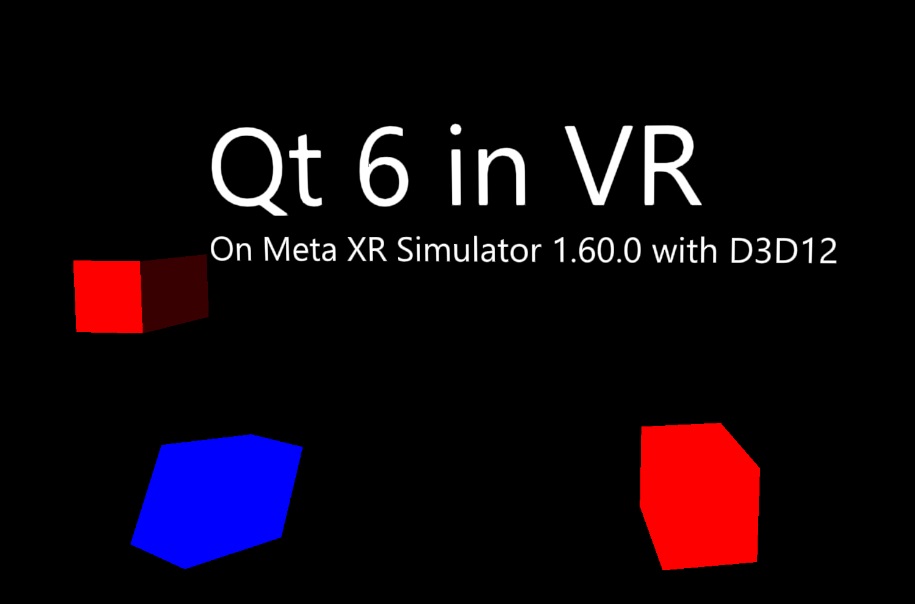
이 예제는 Qt Quick 3D XR의 기본 기능에 대한 개요를 제공합니다.
XR 애플리케이션을 작성할 때의 주요 차이점은 main.qml의 루트 항목이 View3D 을 가진 Window 대신 XrView 라는 점입니다:
import QtQuick3D
import QtQuick3D.Xr

XrView {
    id: xrView
    XrErrorDialog { id: err }
    onInitializeFailed: (errorString) => err.run("XRView", errorString)
    referenceSpace: XrView.ReferenceSpaceLocalFloor
XrView 는 View3D 과 마찬가지로 3D 씬을 포함합니다. 이 예제에서는 데스크톱 PC에서 스트리밍할 때 VR 헤드셋 초기화 오류가 발생하면 오류 대화 상자를 표시하는 XrErrorDialog 를 추가합니다. 또한 이 애플리케이션의 기준 좌표계는 사용자가 위치한 방의 바닥을 기준으로 측정되도록 지정합니다. 즉, 바닥은 y = 0 에 위치하게 됩니다.
참조 좌표계의 원점은 XrOrigin 로 정의됩니다:
    xrOrigin: theOrigin
    XrOrigin {
        id: theOrigin

        XrController {
            controller: XrController.LeftController
            poseSpace: XrController.AimPose
            CubeModel { color: "blue" }
        }

        XrController {
            controller: XrController.RightController
            poseSpace: XrController.AimPose
            CubeModel { color: "red" }
        }
    }
이 예제에서는 양손 각각에 하나씩, 총 두 개의 ` XrController ` 항목을 추가합니다. 이 항목들은 사용자의 손 위치와 방향을 추적합니다. ` XrController `는 ` Node`이므로, 자식 요소들은 자동으로 손의 움직임을 따라갑니다. 이 경우, 컨트롤러의 위치를 시각화하기 위해 간단한 큐브 모델을 사용합니다.
main.qml의 나머지 부분은 일반적인 Qt Quick 3D 장면입니다.
© 2026 The Qt Company Ltd. Documentation contributions included herein are the copyrights of their respective owners. The documentation provided herein is licensed under the terms of the GNU Free Documentation License version 1.3 as published by the Free Software Foundation. Qt and respective logos are trademarks of The Qt Company Ltd. in Finland and/or other countries worldwide. All other trademarks are property of their respective owners.
