
C
Qt Quick Ultralite font_bindings の例
Qt Quick Ultraliteにおけるフォントプロパティへのバインディングの記述方法を示します。
概要
この例では、フォントプロパティに対するバインディングの記述方法を示します。バインディングのサポートは、Spark Font エンジンを使用している場合にのみ利用可能です。この例の UI では、スライダーコントロールを使用してテキストサイズを変更し、スイッチコントロールを使用してテキストスタイルやグリフのレンダリング品質を切り替えます。
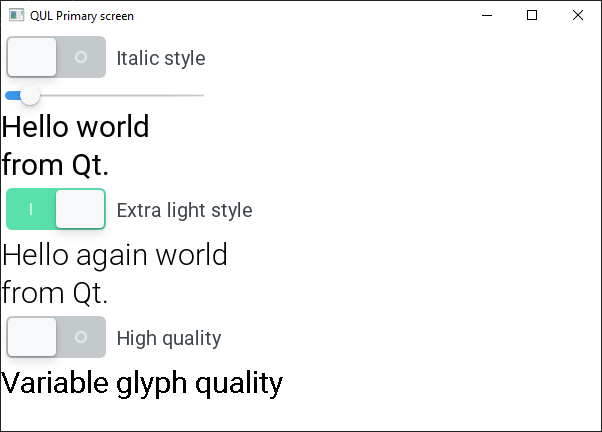
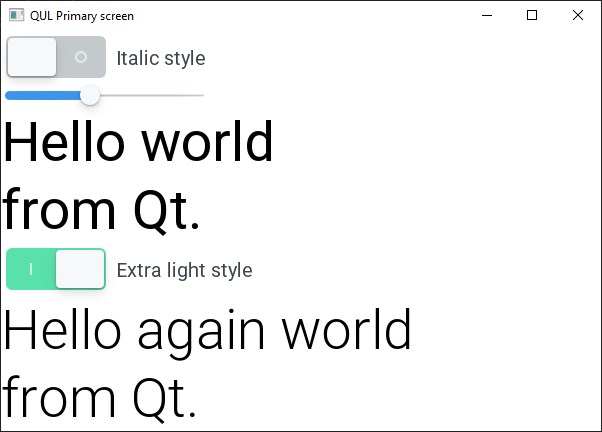
この例では、以下のフォントクラス名を定義したフォントマップファイルを使用しています:
- "Roboto"
- "Roboto Light"
- "Roboto Italic"
QmlProjectのプロパティであるMCU.Config.defaultFontFamilyを「Roboto」に設定しています。
バインディングが再評価されるたびに、フォントクラス名が更新されます。詳細については、フォントクラスのマッピングを参照してください。
Text {
    text: "Hello world"
    // Depending on the 'italicSwitch.checked' value, the font class
    // name can be "Roboto" or "Roboto Italic".
    font.italic: italicSwitch.checked
    font.pixelSize: pixelSizeSlider.value
}

Text {
    text: "from Qt."
    // An alternativele way is to provide a full class name via font.family property.
    font.family: italicSwitch.checked ? "Roboto Italic" : "Roboto"
    font.pixelSize: pixelSizeSlider.value
}
同じスタイルを使用するテキスト項目間で同じフォント設定(Text.font)を共有することで、メモリ使用量を最適化できます。
Text {
    id: lightText
    text: "Hello again world"
    font.pixelSize: pixelSizeSlider.value
    // Depending on the 'lightSwitch.checked' value, the font class
    // name can be "Roboto" or "Roboto Light".
    font.weight: lightSwitch.checked ? Font.Light : Font.Normal
}

Text {
    // To save the memory resources, the font configurations can be shared
    // between elements. This happens automatically in the emitted cpp code
    // when font configuration uses only constant values in font.* bindings.
    font: lightText.font
    text: "from Qt."
}
フォントのレンダリング品質を下げることで、メモリ使用量をさらに最適化できます。低品質のグリフを使用すると、実行時のメモリ使用量が少なくなります。フォントのquality プロパティをFont.QualityVeryLow に設定すると、ビット深度1ビット/ピクセルのアルファマップが生成・レンダリングされます。これは、Font.QualityVeryHigh の場合、1ピクセルあたり8ビットに相当します。
Text {
    id: qualityText
    text: "Variable glyph quality"
    font: Qt.font({
        pixelSize: pixelSizeSlider.value,
        // Depending on the 'qualitySwitch.checked' value, the font
        // rendering quality changes.
        quality: qualitySwitch.checked ? Font.QualityVeryHigh : Font.QualityVeryLow
    })
}
font properties のドキュメントも参照してください。
対象プラットフォーム
- MCIMX93-EVK
- MIMXRT1050
- MIMXRT1060
- MIMXRT1064
- MIMXRT1170
- STM32F769I
- STM32H750B
- RH850 D1M1A
- Infineon TRAVEO T2G
ファイル:
特定のQtライセンスの下で利用可能です。
詳細はこちら。
