Project structure: pages and layers
A project holds your whole design. You organize it into pages, and each page has layers. These three levels help you organize your work and find your way around a design in Clate.
Project
A project is a single file that contains everything: the pages, all objects, and all images. Clate saves it continuously, so you never have to save. See Projects and saving.
Pages
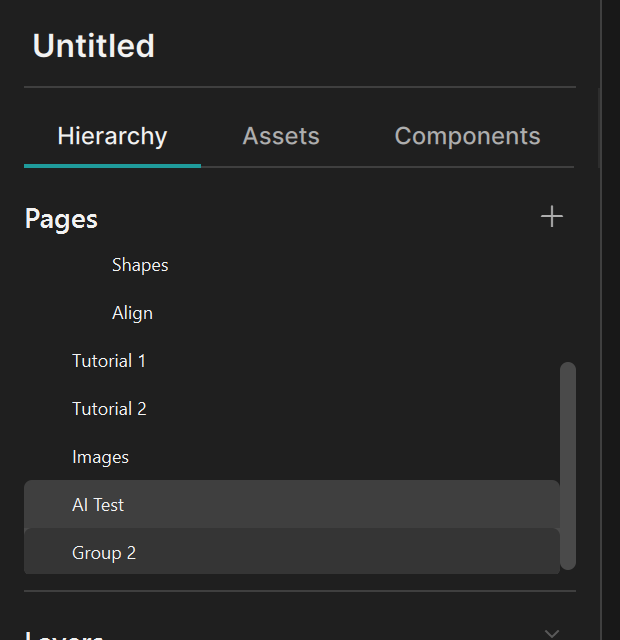
A page is a top-level canvas within a project. Use pages to separate different topics, screens, flows, or states of a design. Each page has its own layers, and you can edit each page independently. A project can have as many pages as you like, and you can gather pages in groups to keep a long list tidy.
You work on one page at a time: the active page, which the canvas and the Layers panel show.
When you export a project to QML, each page becomes a folder. See Export to QML.
Layers and objects
Everything on a page is an object: a frame, a rectangle, an ellipse, a polygon, a star, text, or an image.
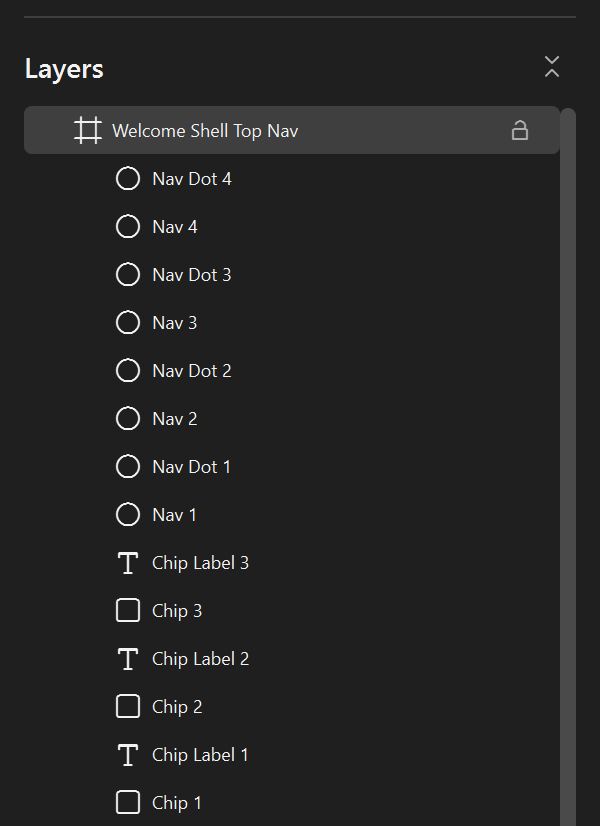
The objects directly on a page, at the top level of the Layers panel, are its layers. A layer can be a single shape, or a frame that contains other objects. The Layers panel shows all of this as a tree, with the object in front at the top.
- Objects inside a frame belong to that frame. They move with it. When Clip content is on, the frame hides any content that extends beyond its boundary.
- The order in the panel is the stacking order, which is also the Z-Stack setting: objects higher in the list are in front.
- When you click an object on the canvas, Clate selects its layer. To select an object inside a frame,
double-click it, hold
Ctrlwhile you click, or select it in the Layers panel. See Selecting objects.
How it fits together
| Level | Contains | Where you manage it |
|---|---|---|
| Project | Pages and images | The Welcome page |
| Page | Layers | Pages panel |
| Layer | An object, or a frame with objects inside | Layers panel and the canvas |