Objects: frames, shapes, text, and images
You build Clate designs from objects. Frames hold other objects, and shapes, text, and images are the visible content of a design.
Frames
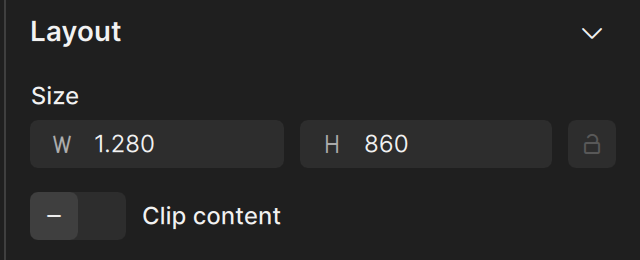
A frame is a bounded container that holds and organizes objects on the canvas. Draw one with the Frame tool (F). Objects that you draw inside a frame become part
of it. A frame:
- holds other objects, including other frames
- clips its content when Clip content is on, so that anything beyond the frame's boundary is hidden
- has a fill, a stroke, and a corner radius, like a rectangle
Use frames to hold the parts of a control, such as a button and its label, or to build a container.
Shapes
Draw shapes with the shape tools in the tool palette. Shapes cannot contain other objects.
| Shape | Notes |
|---|---|
| Rectangle | Draws rectangles and squares, with optional rounded corners. |
| Ellipse | Draws ovals and circles. With Arc turned on, it becomes an arc or a ring segment, which is how gauges are made. |
| Polygon | Draws multi-sided polygons. Set the number of corners with Vertices. |
| Star | Draws stars with configurable points. |
Every shape has a Fill and a Stroke. The fill can be a plain color or a gradient.
Text
A text object shows text. You set its content, font, size, and alignment in the Typography section of the property editor. See Text and typography.
Images
An image object shows a picture. Add one with the Image tool in the tool palette, then choose the picture from the Assets tab. See Assets.
Which one to use
| You want | Use |
|---|---|
| A container that holds other objects | A frame |
| A colored shape or a button background | A rectangle or ellipse |
| A triangle, hexagon, or star | A polygon or star |
| A ring, dial, or gauge | An ellipse with Arc |
| Words | Text |
| A photo or an icon file | An image |