
在 QML 中使用极坐标图
注意:这是 “QML 图表”示例库的一部分。
我们首先展示一个包含样条曲线系列和散点图系列(数据为随机生成的)的图表。这两个系列共用同一组坐标轴。
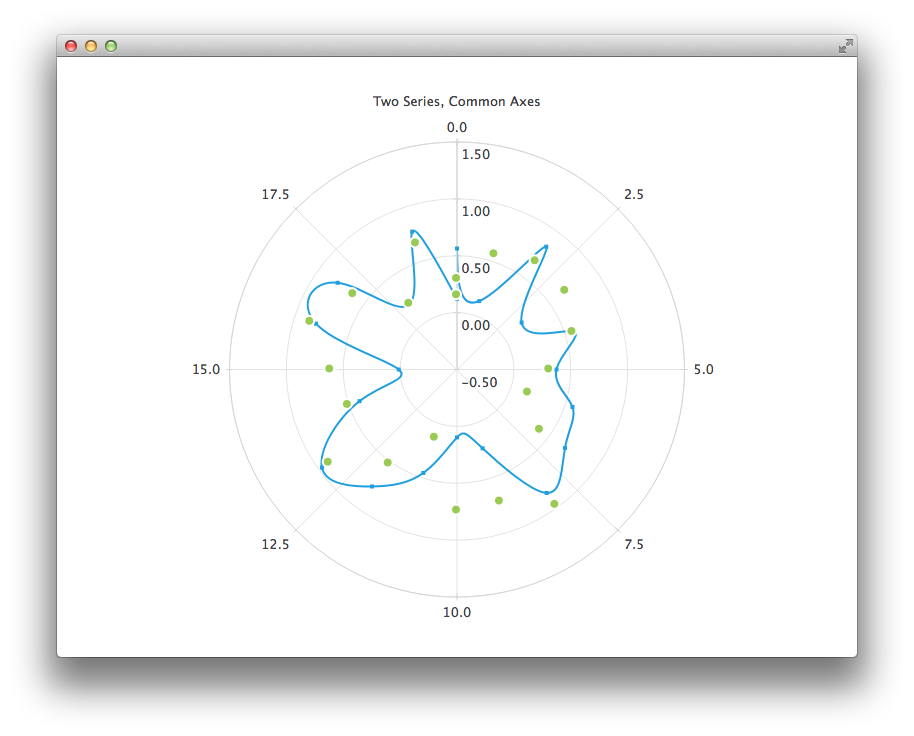
PolarChartView {
    title: "Two Series, Common Axes"
    anchors.fill: parent
    legend.visible: false
    antialiasing: true

    ValueAxis {
        id: axisAngular
        min: 0
        max: 20
        tickCount: 9
    }

    ValueAxis {
        id: axisRadial
        min: -0.5
        max: 1.5
    }

    SplineSeries {
        id: series1
        axisAngular: axisAngular
        axisRadial: axisRadial
        pointsVisible: true
    }

    ScatterSeries {
        id: series2
        axisAngular: axisAngular
        axisRadial: axisRadial
        markerSize: 10
    }

    // Add data dynamically to the series
    Component.onCompleted: {
        for (var i = 0; i <= 20; i++) {
            series1.append(i, Math.random());
            series2.append(i, Math.random());
        }
    }
}
下一张图表展示了一些精确的历史数据,为此我们需要使用 DateTimeAxis 和 AreaSeries。
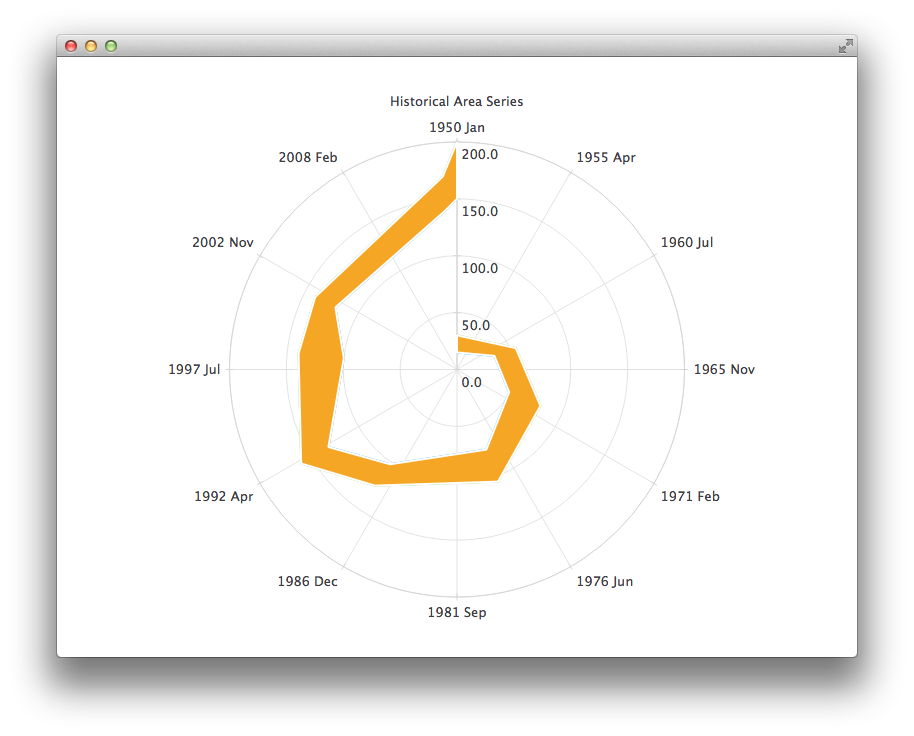
PolarChartView {
    id: root
    title: "Historical Area Chart"
    anchors.fill: parent
    legend.visible: false
    antialiasing: true

    DateTimeAxis {
        id: axis1
        format: "yyyy MMM"
        tickCount: 13
    }
    ValueAxis {
        id: axis2
    }
    LineSeries {
        id: lowerLine
        axisAngular: axis1
        axisRadial: axis2

        // Please note that month in JavaScript months are zero based, so 2 means March
        XYPoint { x: root.toMsecsSinceEpoch(new Date(1950, 0, 1)); y: 15 }
        XYPoint { x: root.toMsecsSinceEpoch(new Date(1962, 4, 1)); y: 35 }
        XYPoint { x: root.toMsecsSinceEpoch(new Date(1970, 0, 1)); y: 50 }
        XYPoint { x: root.toMsecsSinceEpoch(new Date(1978, 2, 1)); y: 75 }
        XYPoint { x: root.toMsecsSinceEpoch(new Date(1987, 11, 1)); y: 102 }
        XYPoint { x: root.toMsecsSinceEpoch(new Date(1992, 1, 1)); y: 132 }
        XYPoint { x: root.toMsecsSinceEpoch(new Date(1998, 7, 1)); y: 100 }
        XYPoint { x: root.toMsecsSinceEpoch(new Date(2002, 4, 1)); y: 120 }
        XYPoint { x: root.toMsecsSinceEpoch(new Date(2012, 8, 1)); y: 140 }
        XYPoint { x: root.toMsecsSinceEpoch(new Date(2013, 5, 1)); y: 150 }
    }
    LineSeries {
        id: upperLine
        axisAngular: axis1
        axisRadial: axis2

        // Please note that month in JavaScript months are zero based, so 2 means March
        XYPoint { x: root.toMsecsSinceEpoch(new Date(1950, 0, 1)); y: 30 }
        XYPoint { x: root.toMsecsSinceEpoch(new Date(1962, 4, 1)); y: 55 }
        XYPoint { x: root.toMsecsSinceEpoch(new Date(1970, 0, 1)); y: 80 }
        XYPoint { x: root.toMsecsSinceEpoch(new Date(1978, 2, 1)); y: 105 }
        XYPoint { x: root.toMsecsSinceEpoch(new Date(1987, 11, 1)); y: 125 }
        XYPoint { x: root.toMsecsSinceEpoch(new Date(1992, 1, 1)); y: 160 }
        XYPoint { x: root.toMsecsSinceEpoch(new Date(1998, 7, 1)); y: 140 }
        XYPoint { x: root.toMsecsSinceEpoch(new Date(2002, 4, 1)); y: 140 }
        XYPoint { x: root.toMsecsSinceEpoch(new Date(2012, 8, 1)); y: 170 }
        XYPoint { x: root.toMsecsSinceEpoch(new Date(2013, 5, 1)); y: 200 }
    }
    AreaSeries {
        axisAngular: axis1
        axisRadial: axis2
        lowerSeries: lowerLine
        upperSeries: upperLine
    }

    // DateTimeAxis is based on QDateTimes so we must convert our JavaScript dates to
    // milliseconds since epoch to make them match the DateTimeAxis values
    function toMsecsSinceEpoch(date) {
        var msecs = date.getTime();
        return msecs;
    }
}
下一张图表使用“类别轴”(CategoryAxis)来使数据更易于理解。
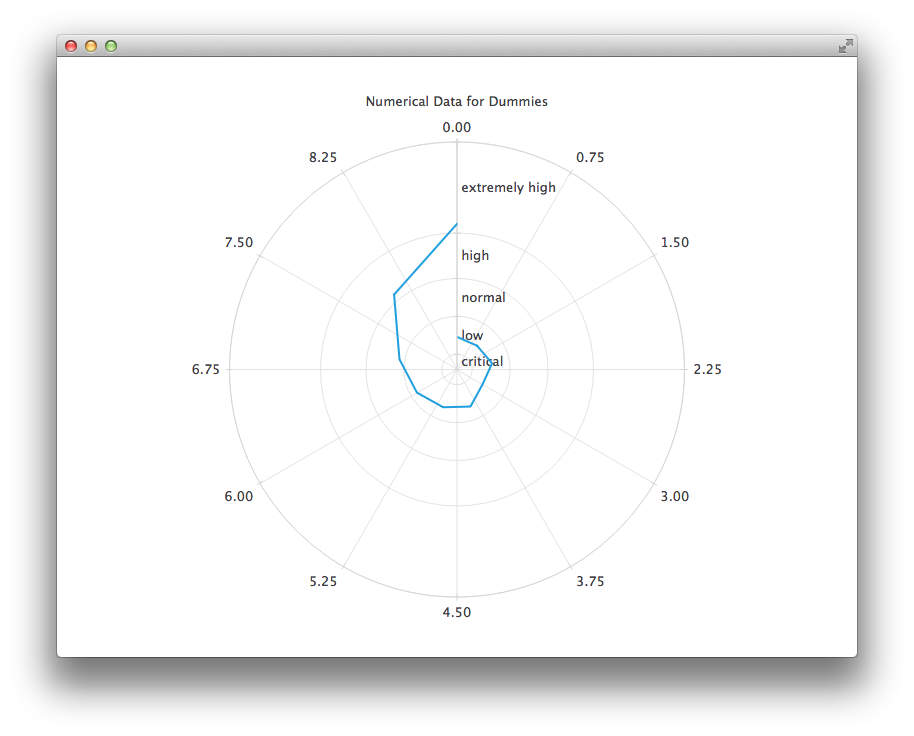
PolarChartView {
    title: "Numerical Data for Dummies"
    anchors.fill: parent
    legend.visible: false
    antialiasing: true

    LineSeries {
        axisRadial: CategoryAxis {
            min: 0
            max: 30
            CategoryRange {
                label: "critical"
                endValue: 2
            }
            CategoryRange {
                label: "low"
                endValue: 7
            }
            CategoryRange {
                label: "normal"
                endValue: 12
            }
            CategoryRange {
                label: "high"
                endValue: 18
            }
            CategoryRange {
                label: "extremely high"
                endValue: 30
            }
        }

        axisAngular: ValueAxis {
            tickCount: 13
        }

        XYPoint { x: 0; y: 4.3 }
        XYPoint { x: 1; y: 4.1 }
        XYPoint { x: 2; y: 4.7 }
        XYPoint { x: 3; y: 3.9 }
        XYPoint { x: 4; y: 5.2 }
        XYPoint { x: 5; y: 5.3 }
        XYPoint { x: 6; y: 6.1 }
        XYPoint { x: 7; y: 7.7 }
        XYPoint { x: 8; y: 12.9 }
        XYPoint { x: 9; y: 19.2 }
    }
}
© 2026 The Qt Company Ltd. Documentation contributions included herein are the copyrights of their respective owners. The documentation provided herein is licensed under the terms of the GNU Free Documentation License version 1.3 as published by the Free Software Foundation. Qt and respective logos are trademarks of The Qt Company Ltd. in Finland and/or other countries worldwide. All other trademarks are property of their respective owners.
