
Nim
设置 Nim 代码样式和工具路径。
代码样式
要设置 Nim 编辑器的首选项(实验性功能):
- 转到“Preferences ” > “Nim ”。
- 在“Custom settings ”中,选择要修改的设置,然后选择“Copy ”。
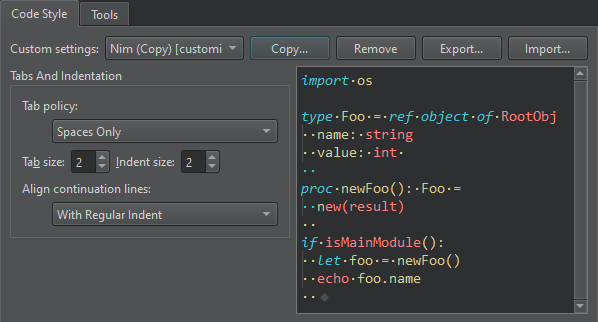
- 为设置命名,然后选择“OK ”。
- 指定如何解释Tab键的按下操作以及如何对齐续行。
- 选择“Apply ”以保存设置。
若要为特定项目指定不同的设置,请选择“Projects ” > “Code Style ”。
工具
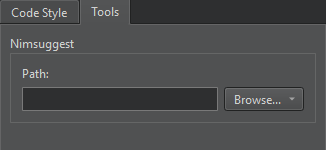
您可以使用Nimsuggest工具查询.nim 源文件,并获得代码补全的建议。
要使用 Nimsuggest,您必须将其安装在开发电脑上,并在Path 中输入该工具可执行文件的路径。
另请参阅 “将代码片段添加到自动完成菜单”、“代码补全”、“查找首选项”、“缩进文本或代码”、“指定代码样式”、“补全”、“Nimble”和“代码片段”。
Copyright © The Qt Company Ltd. and other contributors. Documentation contributions included herein are the copyrights of their respective owners. The documentation provided herein is licensed under the terms of the GNU Free Documentation License version 1.3 as published by the Free Software Foundation. Qt and respective logos are trademarks of The Qt Company Ltd in Finland and/or other countries worldwide. All other trademarks are property of their respective owners.
