
C
Qt Quick Ultralite マルチスクリーン 例
Qt Quick Ultraliteで複数の画面を使用する方法を示します。
概要
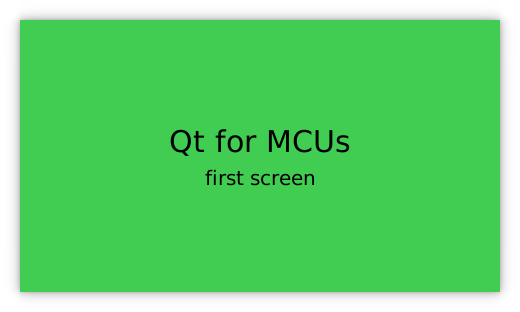
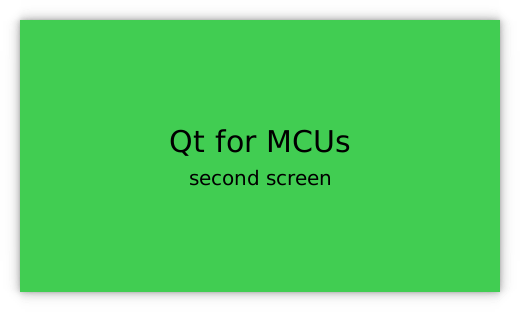
この「multiscreen 」のサンプルでは、1つのQt Quick Ultraliteアプリケーションが、別々の画面にコンテンツを表示する方法を示しています。
対象プラットフォーム
プロジェクト構造
この最小限のサンプルは、CMakeLists.txt 、mcu_multiscreen.qmlproject 、multiscreen.qml の3つのファイルのみで構成されています。
CMake プロジェクトファイルには基本的なビルドスクリプトが含まれており、multiscreen.qml には UI が定義され、mcu_minimal.qmlproject にはmultiscreen.qml をプロジェクトに読み込むための簡単なプロジェクト設定が含まれています。
CMake プロジェクトファイル
# Copyright (C) 2025 The Qt Company Ltd.
# SPDX-License-Identifier: LicenseRef-Qt-Commercial
cmake_minimum_required (VERSION 3.21.1)

project(multiscreen VERSION 0.0.1 LANGUAGES C CXX ASM)
if (NOT TARGET Qul::Core)
    find_package(Qul)
endif()

qul_add_target(multiscreen QML_PROJECT mcu_multiscreen.qmlproject GENERATE_ENTRYPOINT)

app_target_setup_os(multiscreen)

if(NOT CMAKE_CROSSCOMPILING AND NOT WIN32)
    add_custom_command(TARGET multiscreen
        COMMAND strip multiscreen -o multiscreen.stripped
        DEPENDS multiscreen)
endif()
アプリケーションのUI
import QtQuick 2.15
import QtQuickUltralite.Layers 2.0

ApplicationScreens {
    Screen {
        backgroundColor: "#41CD52"
        ItemLayer {
            anchors.centerIn: parent
            depth: ItemLayer.Bpp32Alpha
            width: textPrimary.width
            height: textPrimary.height

            Rectangle {
                anchors.fill: parent
                color: "#41CD52"
            }

            Column {
                id: textPrimary
                anchors.centerIn: parent
                spacing: 5
                Text {
                    anchors.horizontalCenter: parent.horizontalCenter
                    font.pixelSize: 30
                    text: "Qt for MCUs"
                }
                Text {
                    anchors.horizontalCenter: parent.horizontalCenter
                    font.pixelSize: 20
                    text: "first screen"
                }
            }
        }
    }

    Screen {
        backgroundColor: "#41CD52"
        ItemLayer {
            z: 1
            anchors.centerIn: parent
            depth: ItemLayer.Bpp32Alpha
            width: textSecondary.width
            height: textSecondary.height

            Rectangle {
                anchors.fill: parent
                color: "#41CD52"
            }

            Column {
                id: textSecondary
                anchors.centerIn: parent
                spacing: 5
                Text {
                    anchors.horizontalCenter: parent.horizontalCenter
                    font.pixelSize: 30
                    text: "Qt for MCUs"
                }
                Text {
                    anchors.horizontalCenter: parent.horizontalCenter
                    font.pixelSize: 20
                    text: "second screen"
                }
            }
        }
    }
}
ファイル:
特定のQtライセンスの下で利用可能です。
詳細はこちら。
