
C
Qt Quick Ultraliteのタイムライン例
Qt Quick Ultralite でのタイムラインの使用方法を示します。
概要
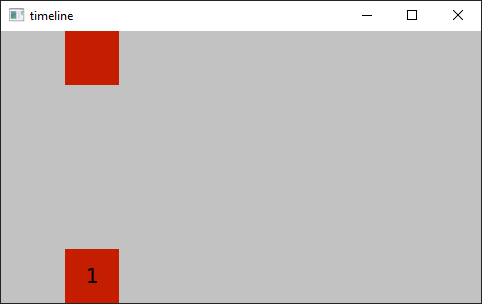
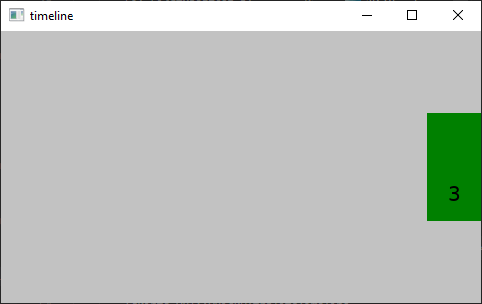
この「timeline 」のサンプルでは、タイムライン型の使用方法を示しています。2つの矩形が左から右へ移動しながら、色が赤から緑へと変化するループアニメーションを表示します。その後、色のアニメーションを停止し、矩形を垂直方向の中心に向かって移動させます。しばらくすると、アニメーションが逆再生され、その終了時にサイクルが再開されます。
対象プラットフォーム
プロジェクト構造
CMake プロジェクトファイル
CMakeLists.txt ファイルには、このサンプル用のビルドスクリプトが含まれています。
QmlProject ファイル
Timeline モジュールを使用するには、Timeline のモジュールにインポートする必要があります:
    ...
        ModuleFiles {
                MCU.qulModules: ["Timeline"]
        }
    ...
アプリケーションの UI
timeline.qml 画面に表示されるアプリケーションの UI を定義します。
import QtQuick 2.15
import QtQuick.Timeline 1.0

Rectangle {
    id: root
    readonly property int rectSize: root.height / 5

    color: "#c2c2c2"

    Timeline {
        id: timeline1
        animations: [
            TimelineAnimation {
                id: timelineAnimation
                pingPong: true
                running: true
                from: 0
                duration: 5000
                loops: Animation.Infinite
                to: 800
            }
        ]
        startFrame: 0
        enabled: true
        endFrame: 10000

        KeyframeGroup {
            target: rectangle
            property: "x"
            Keyframe {
                id: d
                value: root.width - rectangle.width
                frame: 300
            }

            Keyframe {
                value: root.width - rectangle.width
                frame: 548
            }
        }

        KeyframeGroup {
            target: rectangle
            property: "y"

            Keyframe {
                value: 0
                frame: 300
            }

            Keyframe {
                value: root.height * 0.5 - rectangle.height
                frame: 552
            }
        }

        KeyframeGroup {
            target: rectangle
            property: "color"

            Keyframe {
                value: "red"
                frame: 0
                easing.type: Easing.InCubic
            }

            Keyframe {
                value: "green"
                frame: 552
                easing.type: Easing.OutCubic
            }
        }

        KeyframeGroup {
            target: rectangle1
            property: "x"
            Keyframe {
                value: root.width - rectangle1.width
                frame: 300
            }

            Keyframe {
                value: root.width - rectangle1.width
                frame: 548
            }
        }

        KeyframeGroup {
            target: rectangle1
            property: "y"
            Keyframe {
                value: root.height - rectangle1.height
                frame: 0
            }

            Keyframe {
                value: root.height - rectangle1.height
                frame: 300
            }

            Keyframe {
                value: root.height * 0.5
                frame: 548
            }
        }

        KeyframeGroup {
            target: rectangle1
            property: "color"

            Keyframe {
                value: "red"
                frame: 0
                easing.type: Easing.OutCubic
            }

            Keyframe {
                value: "green"
                frame: 552
                easing.type: Easing.OutCubic
            }
        }

        KeyframeGroup {
            target: text
            property: "text"

            Keyframe {
                value: "2"
                frame: 300
            }

            Keyframe {
                value: "3"
                frame: 548
            }
        }
    }

    Rectangle {
        id: rectangle
        x: 0
        y: 0
        width: rectSize
        height: rectSize
        color: "#ffffff"
    }

    Rectangle {
        id: rectangle1
        x: 0
        y: root.height - height
        width: rectSize
        height: rectSize
        color: "#ffffff"

        Text {
            id: text
            anchors.centerIn: parent
            text: "1"
        }
    }
}
ファイル:
Timelineも参照してください 。
特定のQtライセンスの下で利用可能です。
詳細はこちらをご覧ください。
