Text and typography
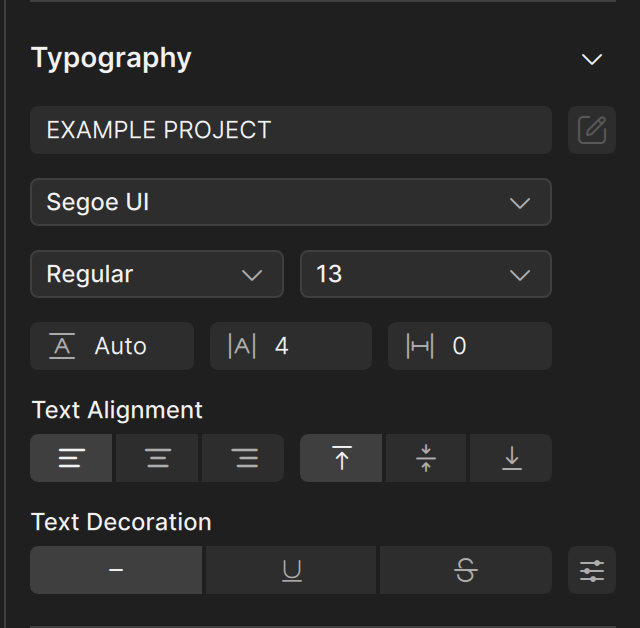
Draw a text object with the Text tool, then set its content, font, and alignment in the Typography section of the property editor.
Create text
- Press
T, or choose the Text tool in the tool palette. - Click on the canvas, or drag to draw a box. Clate creates a text object with the word Text.
- With the text object selected, type your own words in the text field at the top of the Typography section of the property editor.
You change the content in the property editor. Clate does not edit text directly on the canvas. See Drawing tools.
Typography
Select a text object. The Typography section has:
| Setting | What it does |
|---|---|
| Text field | The content of the text object. |
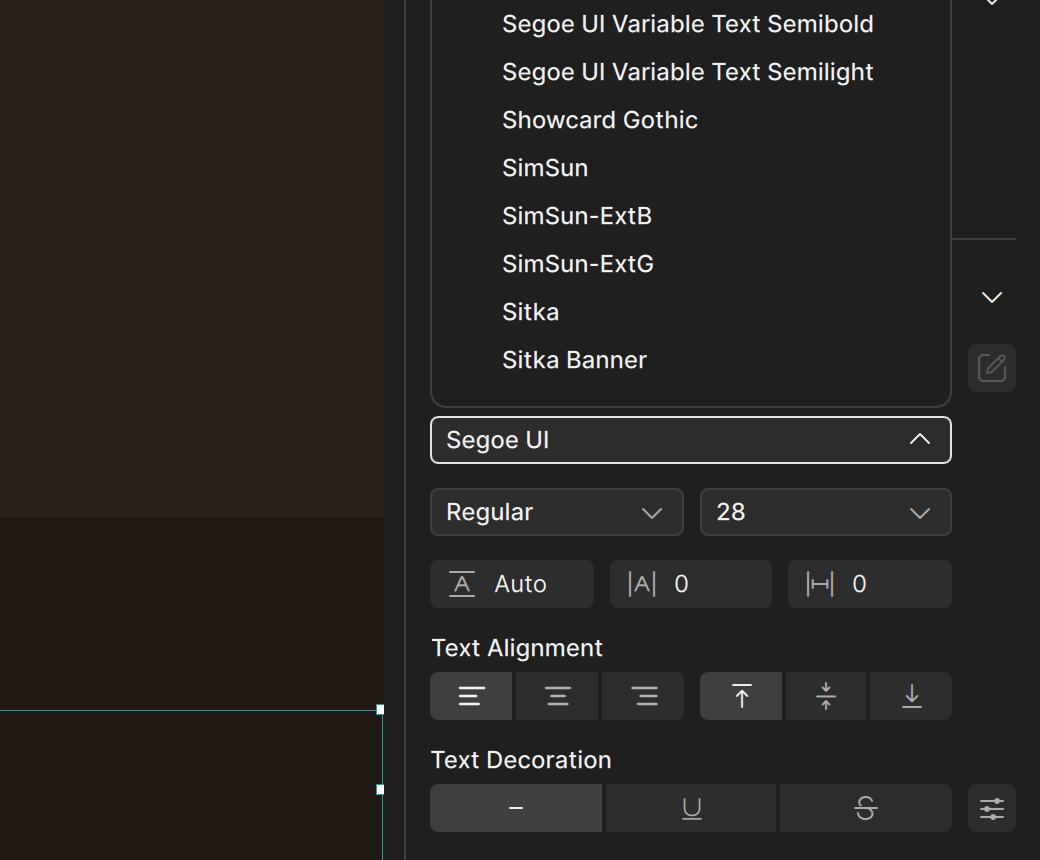
| Font | The font family, for example Arial. |
| Style | The style of the font, for example Regular. |
| Size | The size of the text, in pixels. |
| Weight | How bold the text is. Use the slider or type a number, for example 600 for semibold. |
| Spacing fields | Three number fields for spacing. The field in the middle sets the space between letters, which is useful for small uppercase labels. |
| Text Alignment | Left, center, or right, and top, middle, or bottom, inside the text box. |
| Text Decoration | Italic, underline, and strikethrough. A button next to them opens more options. |
The size of the text box comes from the Layout section. New text is centered in its box, so make the box as wide as the area where you want the text to sit and let the alignment do the rest.
Text color
The Fill section of a text object sets the color of the text. See Fill and stroke.
Tips for a consistent look
- Use a small set of text styles and reuse them. The Welcome to Clate! project uses, for example, small semibold labels with extra letter spacing, regular body text, and one larger semibold size for headlines.
- Copy and paste a text object to reuse its style, then change only the content.