
Qt Quick 3D - Beispiel für Instanz-Rendering
Veranschaulicht, wie Instanz-Rendering in „ Qt Quick 3D “ durchgeführt wird.
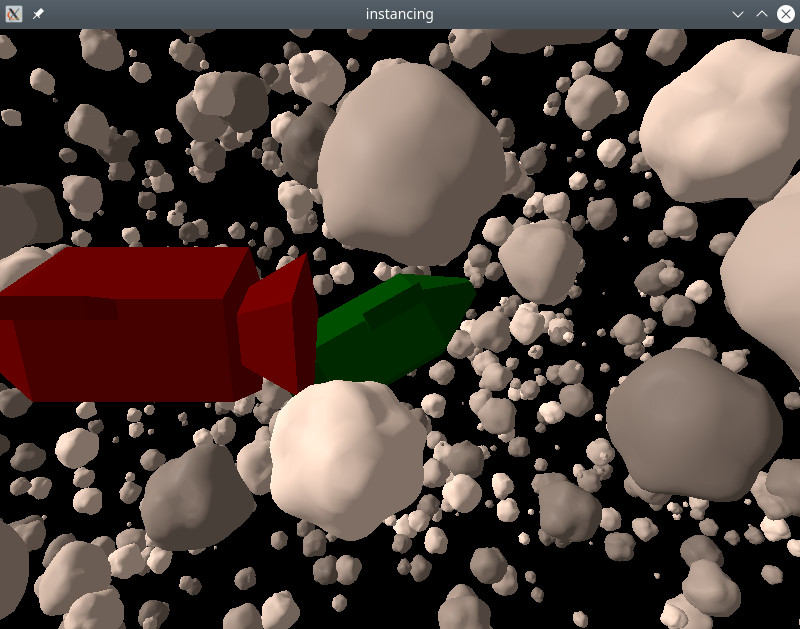
Dieses Beispiel zeigt, wie Instanz-Rendering mithilfe der grundlegenden QML-API durchgeführt wird.
Die Modelle des Raumschiffs und des Asteroiden wurden mit dem 3D-Modellierungsprogramm Blender erstellt und mit balsam importiert.
Zufällige Instanzierung
Wir verwenden „ RandomInstancing “, um eine Zufallstabelle zu erstellen, die unser Asteroidenfeld definiert:
RandomInstancing {
    id: randomInstancing
    instanceCount: 1500

    position: InstanceRange {
        from: Qt.vector3d(-300, -200, -500)
        to: Qt.vector3d(300, 200, 200)
    }
    scale: InstanceRange {
        from: Qt.vector3d(1, 1, 1)
        to: Qt.vector3d(10, 10, 10)
        proportional: true
    }
    rotation: InstanceRange {
        from: Qt.vector3d(0, 0, 0)
        to: Qt.vector3d(360, 360, 360)
    }
    color: InstanceRange {
        from: "grey"
        to: "white"
        proportional: true
    }

    randomSeed: 2021
}
Position und Rotation können frei variieren. Die Skalierung ist in alle Richtungen einheitlich eingestellt, und die Farben sind Graustufen. Dies wird durch die Einstellung des Attributs „ proportional “ erreicht.
Die Raumschiffe werden manuell mithilfe von „ InstanceList “ platziert:
InstanceListEntry {
    id: redShip
    eulerRotation: Qt.vector3d(0, 180, 0)
    color: "red"
    PropertyAnimation on position {
        from: Qt.vector3d(50, 10, 100)
        to: Qt.vector3d(-70, 10, 100)
        duration: 8000
    }
}

InstanceListEntry {
    id: greenShip
    position: Qt.vector3d(0, 0, -60)
    eulerRotation: Qt.vector3d(-10, 0, 30)
    color: "green"
}

InstanceListEntry {
    id: blueShip
    position: Qt.vector3d(-100, -100, 0)
    color: "blue"
}

InstanceList {
    id: manualInstancing
    instances: [ redShip, greenShip, blueShip ]
}
Die Eigenschaften von „ InstanceListEntry “ sind bindbar: Hier animieren wir das rote Raumschiff so, dass es den Weg der Kamera kreuzt.
Abschließend wenden wir die Instanzierungstabellen auf die Objekte an:
Asteroid {
    instancing: randomInstancing
    NumberAnimation on eulerRotation.x {
        from: 0
        to: 360
        duration: 11000
        loops: Animation.Infinite
    }
}

SimpleSpaceship {
    instancing: manualInstancing
}
Durch die Animation der Drehung des Asteroidenmodells drehen sich alle Instanzen, ohne dass der Inhalt der Instanztabelle geändert werden muss. Da die Asteroideninstanzen zufällige Drehungen aufweisen, drehen sich alle Asteroiden um unterschiedliche Achsen.
© 2026 The Qt Company Ltd. Documentation contributions included herein are the copyrights of their respective owners. The documentation provided herein is licensed under the terms of the GNU Free Documentation License version 1.3 as published by the Free Software Foundation. Qt and respective logos are trademarks of The Qt Company Ltd. in Finland and/or other countries worldwide. All other trademarks are property of their respective owners.
