Qt Quick 3D Physics - 사용자 정의 도형 예시
다양한 도형을 사용하는 방법을 보여줍니다.
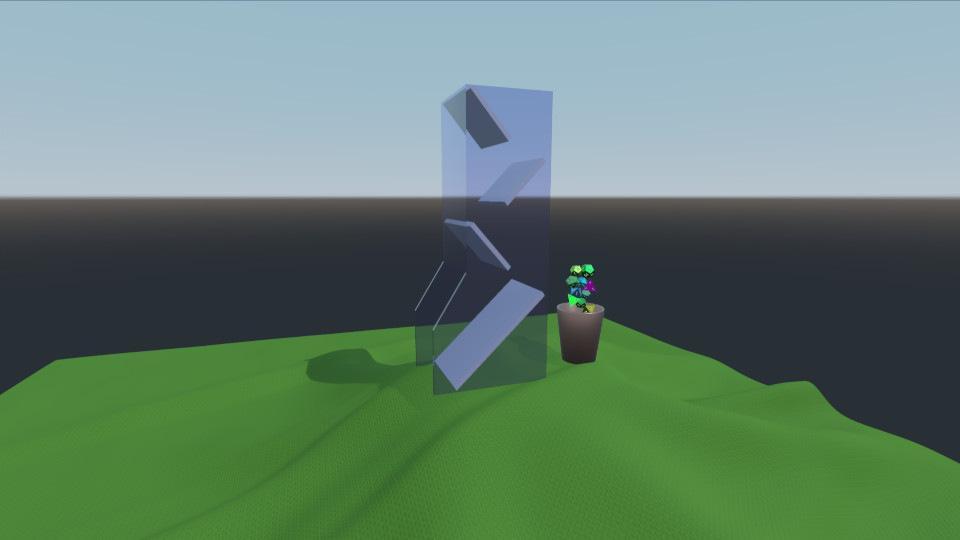
이 예제는 여러 리지드 바디 메쉬를 불러오고 생성하는 방법과 애니메이션 적용 방법을 보여줍니다. 이 씬은 주사위 타워, 식탁보, 컵, 그리고 몇 개의 주사위로 구성되어 있습니다. 컵은 생성된 주사위를 모아 주사위 타워에 넣는 애니메이션이 적용되어 있습니다. 주사위는 주사위 타워에서 굴러 내려와 식탁보 위로 흩어집니다.
환경
평소와 마찬가지로 ` PhysicsWorld `와 ` View3D`가 있습니다. ` View3D `에는 라이트프로브를 설정하는 환경이 포함되어 있습니다:
environment: SceneEnvironment {
    clearColor: "white"
    backgroundMode: SceneEnvironment.SkyBox
    antialiasingMode: SceneEnvironment.MSAA
    antialiasingQuality: SceneEnvironment.High
    lightProbe: proceduralSky
}
텍스처
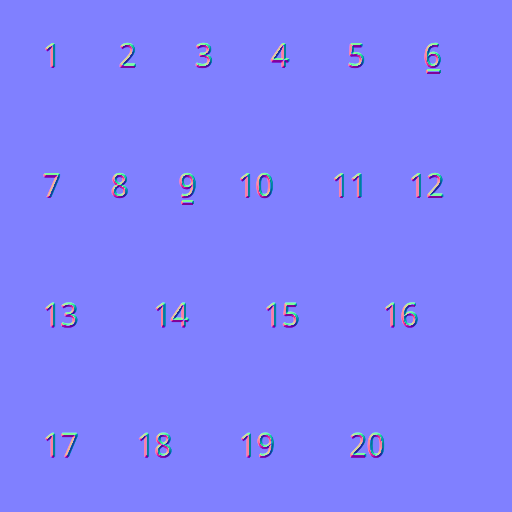
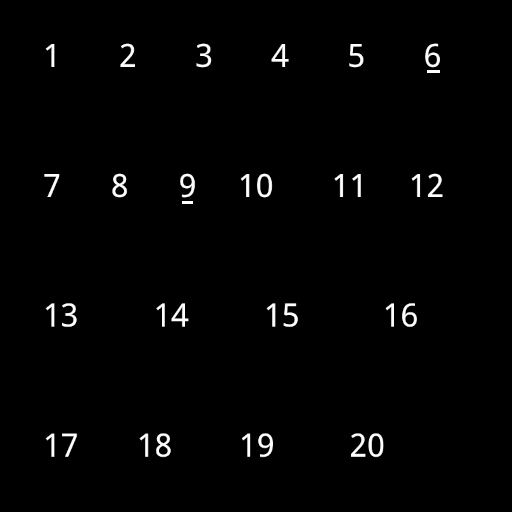
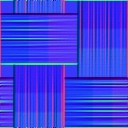
스카이박스, 식탁보, 주사위 숫자에 사용될 네 가지 텍스처를 정의합니다:
Texture {
    id: proceduralSky
    textureData: ProceduralSkyTextureData {
        sunLongitude: -115
    }
}

Texture {
    id: weaveNormal
    source: "maps/weave.png"
    scaleU: 200
    scaleV: 200
    generateMipmaps: true
    mipFilter: Texture.Linear
}
Texture {
    id: numberNormal
    source: "maps/numbers-normal.png"
}

Texture {
    id: numberFill
    source: "maps/numbers.png"
    generateMipmaps: true
    mipFilter: Texture.Linear
}
씬
카메라와 방향성 조명이 포함된 씬을 담는 노드가 있습니다:
id: scene
scale: Qt.vector3d(2, 2, 2)
PerspectiveCamera {
    id: camera
    position: Qt.vector3d(-45, 25, 60)
    eulerRotation: Qt.vector3d(-6, -33, 0)
    clipFar: 1000
    clipNear: 0.1
}

DirectionalLight {
    eulerRotation: Qt.vector3d(-45, 25, 0)
    castsShadow: true
    brightness: 1
    shadowMapQuality: Light.ShadowMapQualityHigh
    pcfFactor: 0.1
    shadowBias: 1
}
식탁보
직조 텍스처가 적용된 모델과 충돌 처리를 위한 HeightFieldShape 로 구성된 ‘ StaticRigidBody ’인 식탁보를 추가합니다.
StaticRigidBody {
    position: Qt.vector3d(-15, -8, 0)
    id: tablecloth

    Model {
        geometry: HeightFieldGeometry {
            id: tableclothGeometry
            extents: Qt.vector3d(150, 20, 150)
            source: "maps/cloth-heightmap.png"
            smoothShading: false
        }
        materials: PrincipledMaterial {
            baseColor: "#447722"
            roughness: 0.8
            normalMap: weaveNormal
            normalStrength: 0.7
        }
    }

    collisionShapes: HeightFieldShape {
        id: hfShape
        extents: tableclothGeometry.extents
        source: "maps/cloth-heightmap.png"
    }
}
컵
컵은 모델(Model)과 충돌 형상( TriangleMeshShape )을 가진 DynamicRigidBody 로 정의합니다. 컵에는 애니메이션의 일부인 eulerRotation 및 position 속성에 대한 비헤이비어(Behavior)가 적용되어 있습니다.
DynamicRigidBody {
    id: diceCup
    isKinematic: true
    mass: 0
    property vector3d bottomPos: Qt.vector3d(11, 6, 0)
    property vector3d topPos: Qt.vector3d(11, 45, 0)
    property vector3d unloadPos: Qt.vector3d(0, 45, 0)
    position: bottomPos
    kinematicPivot: Qt.vector3d(0, 6, 0)
    kinematicPosition: bottomPos
    collisionShapes: TriangleMeshShape {
        id: cupShape
        source: "meshes/simpleCup.mesh"
    }
    Model {
        source: "meshes/cup.mesh"
        materials: PrincipledMaterial {
            baseColor: "#cc9988"
            roughness: 0.3
            metalness: 1
        }
    }
}
타워
타워는 단순히 모델(Model)과 충돌용 사각형( TriangleMeshShape )을 가진 StaticRigidBody 입니다.
StaticRigidBody {
    id: diceTower
    x: -4
    Model {
        id: testModel
        source: "meshes/tower.mesh"
        materials: [
            PrincipledMaterial {
                baseColor: "#ccccce"
                roughness: 0.3
            },
            PrincipledMaterial {
                id: glassMaterial
                baseColor: "#aaaacc"
                transmissionFactor: 0.95
                thicknessFactor: 1
                roughness: 0.05
            }
        ]
    }
    collisionShapes: TriangleMeshShape {
        id: triShape
        source: "meshes/tower.mesh"
    }
}
주사위
주사위를 생성하기 위해 사용자 정의 Die QML 객체와 Repeater3D 가 포함된 컴포넌트를 사용합니다.
Component {
    id: diceComponent
    Die {}
}

Repeater3D {
    id: dicePool
    model: 25
    delegate: diceComponent
    delegateModelAccess: DelegateModel.ReadWrite
    function restore() {
        for (let i = 0; i < count; i++) {
            (objectAt(i) as Die).restore()
        }
    }
}
Die 객체에는 ConvexMeshShape 와 Model이 포함된 DynamicRigidBody 가 들어 있습니다. 각 주사위의 위치, 색상, 스케일 및 메시 소스는 무작위로 생성됩니다.
DynamicRigidBody {
    id: thisBody
    required property int index

    Texture {
        id: numberNormal
        source: "maps/numbers-normal.png"
    }

    Texture {
        id: numberFill
        source: "maps/numbers.png"
        generateMipmaps: true
        mipFilter: Texture.Linear
    }

    function randomInRange(min, max) {
        return Math.random() * (max - min) + min
    }

    function restore() {
        reset(initialPosition, eulerRotation)
    }

    scale: Qt.vector3d(scaleFactor, scaleFactor, scaleFactor)
    eulerRotation: Qt.vector3d(randomInRange(0, 360),
                               randomInRange(0, 360),
                               randomInRange(0, 360))

    property vector3d initialPosition: Qt.vector3d(11 + 1.5 * Math.cos(index/(Math.PI/4)),
                                                   6 + index * 1.5,
                                                   0)
    position: initialPosition

    property real scaleFactor: randomInRange(0.8, 1.4)
    property color baseCol: Qt.hsla(randomInRange(0, 1),
                                    randomInRange(0.6, 1.0),
                                    randomInRange(0.4, 0.7),
                                    1.0)

    collisionShapes: ConvexMeshShape {
        id: diceShape
        source: Math.random() < 0.25 ? "meshes/icosahedron.mesh"
              : Math.random() < 0.5 ? "meshes/dodecahedron.mesh"
              : Math.random() < 0.75 ? "meshes/octahedron.mesh"
                                     : "meshes/tetrahedron.mesh"
    }

    Model {
        id: thisModel
        source: diceShape.source
        receivesShadows: false
        materials: PrincipledMaterial {
            metalness: 1.0
            roughness: thisBody.randomInRange(0.2, 0.6)
            baseColor: thisBody.baseCol
            emissiveMap: numberFill
            emissiveFactor: Qt.vector3d(1, 1, 1)
            normalMap: numberNormal
            normalStrength: 0.75
        }
    }
}
애니메이션
주사위가 컵에서 주사위 타워로 이동하도록 하기 위해, 컵에 애니메이션을 적용하여 위쪽으로 이동시킨 다음 뒤집습니다. 애니메이션이 물리 시뮬레이션과 동기화되도록 하기 위해, PhysicsWorld 의 onFrameDone 신호에 연결된 AnimationController 를 사용합니다. 시뮬레이션된 각 프레임이 끝날 때마다 경과된 타임스텝만큼 애니메이션을 진행합니다.
Connections {
    target: physicsWorld
    property real totalAnimationTime: 7500
    function onFrameDone(timeStep) {
        let progressStep = timeStep / totalAnimationTime
        animationController.progress += progressStep
        if (animationController.progress >= 1) {
            animationController.completeToEnd()
            animationController.reload()
            animationController.progress = 0
        }
    }
}

AnimationController {
    id: animationController
    animation: SequentialAnimation {
        PauseAnimation { duration: 2500 }
        PropertyAnimation {
            target: diceCup
            property: "kinematicPosition"
            to: diceCup.topPos
            duration: 2500
        }
        ParallelAnimation {
            PropertyAnimation {
                target: diceCup
                property: "kinematicEulerRotation.z"
                to: 130
                duration: 1500
            }
            PropertyAnimation {
                target: diceCup
                property: "kinematicPosition"
                to: diceCup.unloadPos
                duration: 1500
            }
        }
        PauseAnimation { duration: 1000 }
        ParallelAnimation {
            PropertyAnimation {
                target: diceCup
                property: "kinematicEulerRotation.z"
                to: 0
                duration: 1500
            }
            PropertyAnimation {
                target: diceCup
                property: "kinematicPosition"
                to: diceCup.topPos
                duration: 1500
            }
        }
        PropertyAnimation { target: diceCup; property: "kinematicPosition"; to: diceCup.bottomPos; duration: 1500 }
        PauseAnimation { duration: 2000 }
        ScriptAction { script: dicePool.restore() }
    }
}
컨트롤러
마지막으로 키보드를 사용하여 카메라를 제어할 수 있도록 WasdController 를 추가합니다:
WasdController {
    keysEnabled: true
    controlledObject: camera
    speed: 0.2
}
파일:
- customshapes/CMakeLists.txt
- customshapes/Die.qml
- customshapes/customshapes.pro
- customshapes/main.cpp
- customshapes/main.qml
- customshapes/qml.qrc
- customshapes/resources.qrc
이미지:
© 2026 The Qt Company Ltd. Documentation contributions included herein are the copyrights of their respective owners. The documentation provided herein is licensed under the terms of the GNU Free Documentation License version 1.3 as published by the Free Software Foundation. Qt and respective logos are trademarks of The Qt Company Ltd. in Finland and/or other countries worldwide. All other trademarks are property of their respective owners.