
On-Prem: Assign roles for license management
You can register a license for an On-Prem Qt License Server instance as the license manager, deputy license manager, or administrator of the license. You can edit the users of your licenses in Qt Customer Portal.
View the assigned roles
To view a list of users managing your license and their roles:
- In your Qt Customer Portal, select My Licenses (1).
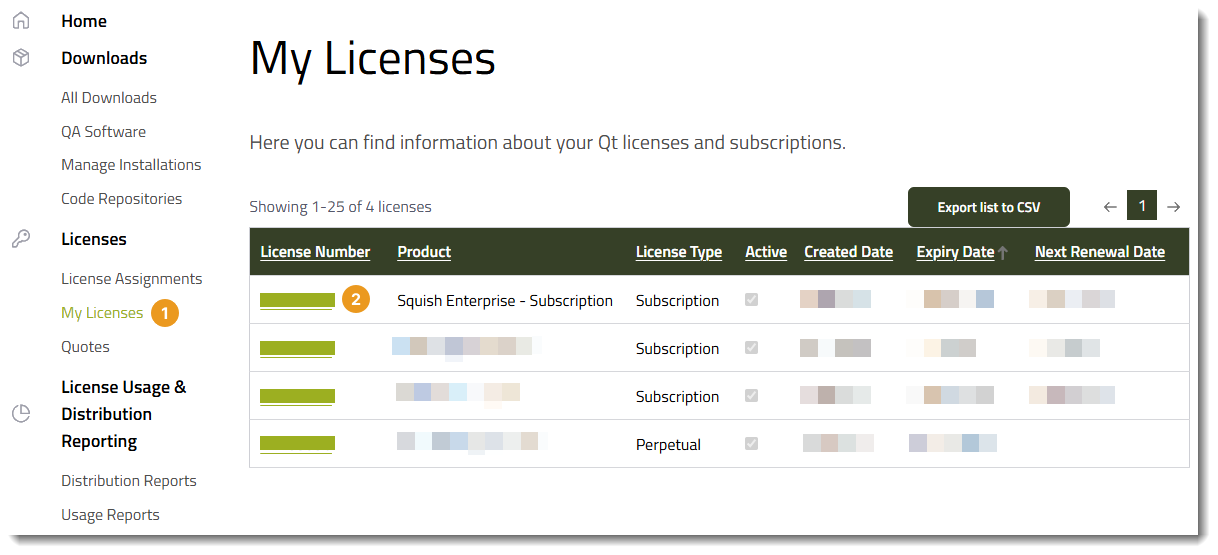
- From the table of licenses, select the license number of the license (2).
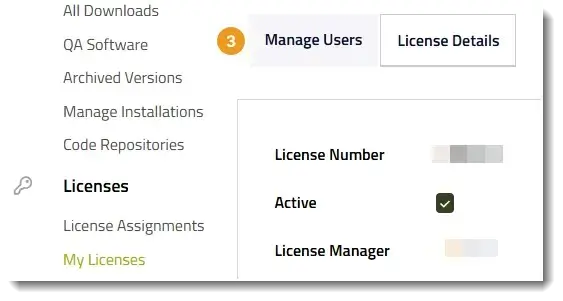
- Select Manage Users (3).
Add a deputy license manager role for a license
To add a user as a deputy license manager for your license:
- Go to the Manage Users tab, as described in View the assigned roles.
- Select Add new user.
- In User (1), select the new user.
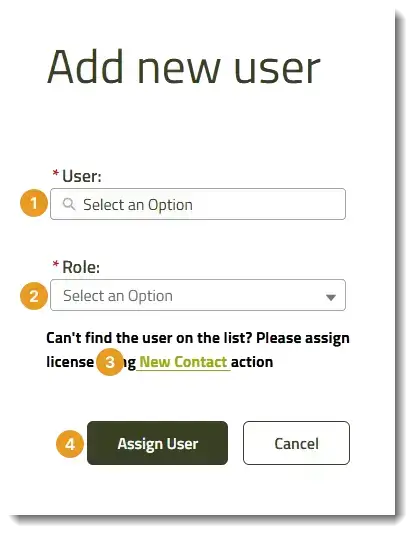
If you can't find the user in the User list, select New Contact (3), and add the user's information.
- In Role (2), select Deputy license manager.
- Select Assign User (4).
After you add a user as a deputy license manager or admin, they can manage the license and the associated On-Prem Qt License Server instance. For more information about managing an On-Prem Qt License Server instance with multiple users, see Shared On-Prem Qt License Server license registration administration.
Note: There is a short delay before the new user can access the license management features in the On-Prem Qt License Server instance.
Remove a user
To remove a user from managing the On-Prem Qt License Server license:
- Go to the Manage Users tab, as described in View the assigned roles.
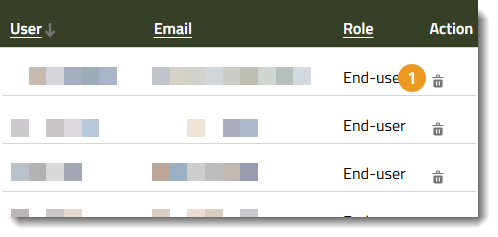
- Select the Delete button (1).
After you remove a user from managing the license, they might still be able to access the associated On-Prem Qt License Server instance. To remove them from the instance, deregister their licenses from the instance, as described in Shared On-Prem Qt License Server license registration administration.
See also On-Prem: Register licenses and On-Prem: Deregister licenses.
© 2024 The Qt Company Ltd. Documentation contributions included herein are the copyrights of their respective owners. The documentation provided herein is licensed under the terms of the GNU Free Documentation License version 1.3 as published by the Free Software Foundation. Qt and respective logos are trademarks of The Qt Company Ltd in Finland and/or other countries worldwide. All other trademarks are property of their respective owners.
