Set up the assistant
The first time you open the assistant, you install Claude Agent and sign in with your own Claude account. After that, the assistant is ready to chat.
Before you start
For now, Claude Agent is the supported service in the built-in assistant. We plan to support other vendors in the near future.
You do not have to wait to use another AI. Clate's MCP server is already available: any model or tool that supports MCP can connect to it and work on your project. See Connect an AI tool.
To use the built-in assistant, you need your own Claude account. Clate never receives your sign-in credentials: you sign in in Claude's own tool. Charges from Anthropic may apply.
Set up Claude Agent
- Open a project and click the AI Assistant button in the toolbar. The panel shows Assistant Setup.
- Under Choose your service, pick Claude Agent.
- Click Install Claude Agent. Clate downloads the service and its components. The panel shows three steps and the elapsed time. You can click Cancel to stop.
- When the installation is complete, sign in. Under Continue setup in a terminal, click Open Terminal.
A terminal window opens with the sign-in command ready. Press
Enterin the terminal, follow the instructions in the browser, and wait until the terminal says that the login was successful. Clate notices the login by itself. - When the panel shows Signed in, click Finish.
The assistant is now ready, and the panel switches to the chat.
If the browser does not open during sign-in, copy the sign-in link from the terminal and paste it into your browser. If the browser shows a code, copy it back into the terminal.
Manage the service
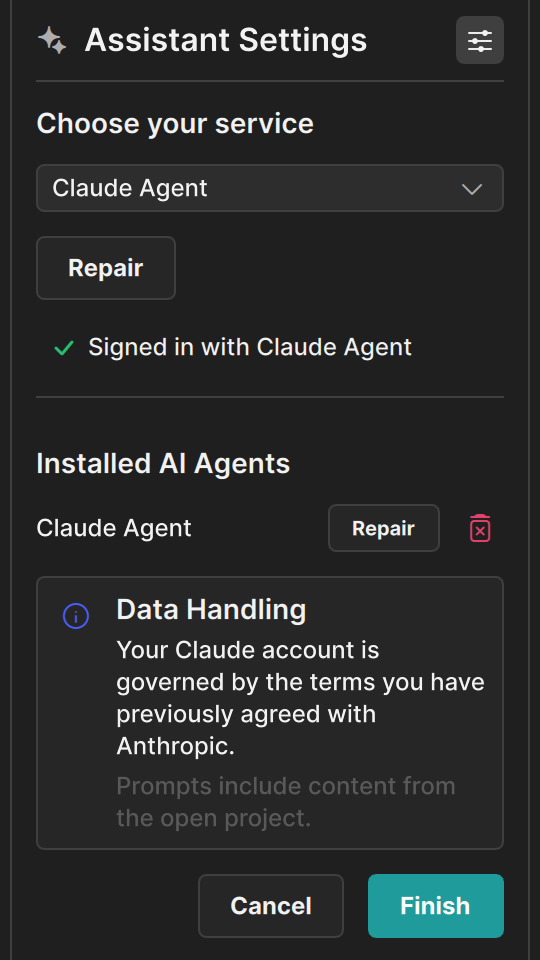
Click the settings button in the panel header to open Assistant Settings. There you have two choices:
- Click Repair to install Claude Agent again if something does not work.
- Remove it. Removing only makes Clate forget the service. Your sign-in outside Clate stays as it is.