
C++ 代码风格
Qt Creator 使用 ClangLibFormat库自动格式化并缩进 C++ 代码。它可强制执行针对项目或整个组织的编码规范。
要为 C++ 编辑器指定全局缩进设置,请转至“Preferences ” > “C++ ” > “Code Style ”。
下表介绍了可用的首选项。
| 首选项 | 描述 |
|---|---|
| Formatting mode | 选择:
|
| Ignore files greater than | 通过忽略大文件来加快解析速度。指定要解析的文件最大大小。 |
| Format while typing | 在输入时应用格式化。 |
| Format edited code on file save | 在保存文件时对已编辑的代码应用格式化。若要在保存文件时临时禁用此设置,请转至“File ”,然后选择“Save Without Formatting ”。 |
| Use custom settings | 全局更改所有项目的 ClangFormat 样式。 |
| Custom settings | 选择要更改的设置,然后选择“Copy ”。为设置命名,并选择“OK ”。 |
| ClangFormat | 编辑ClangFormat 样式选项。实时预览会显示首选项如何改变缩进格式。若输入无效值,将显示警告信息。 |
使用内置缩进工具
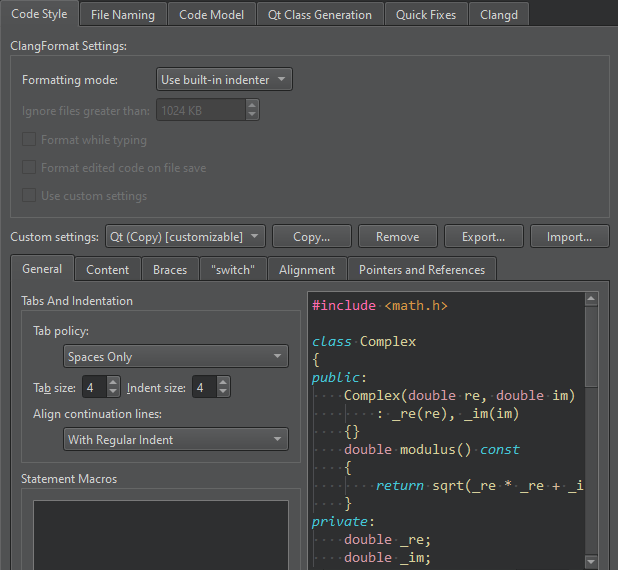
若在“Formatting mode ”中选择“Use Built-In Indenter ”,您可以指定以下操作:
- 解释Tab和Backspace键的按键操作。
- 添加宏,使缩进工具将其解释为完整的语句,且无需在句末添加分号。
- 对类、函数、代码块和命名空间的内容进行缩进。
- 对类、命名空间、枚举、函数和代码块中的大括号进行缩进。
- 控制 switch 语句及其内容。
- 对齐续行。
- 将类型和声明中的指针 (*) 和引用 (&) 绑定到标识符、类型名,或左侧或右侧的
const或volatile关键字。
指定内容设置
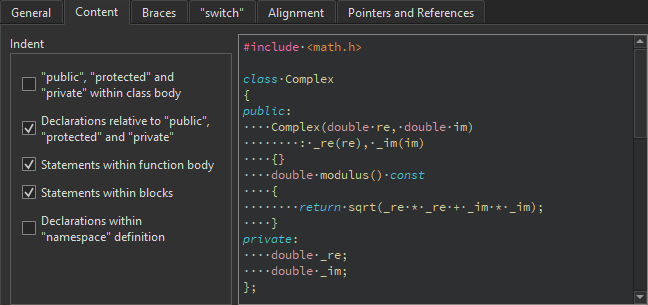
您可以对类中的 public、protected 和 private 语句以及与之相关的声明进行缩进。
您还可以缩进函数和代码块中的语句,以及命名空间中的声明。
指定大括号的设置
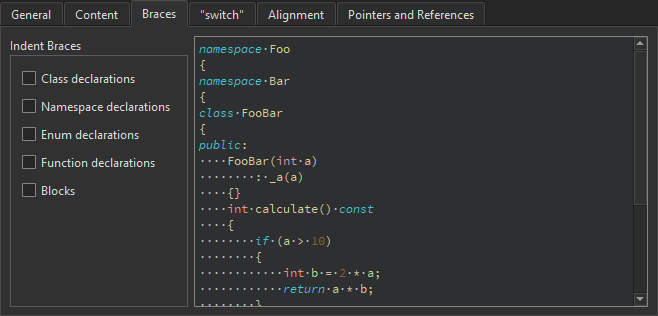
您可以对类、命名空间、枚举和函数声明以及代码块进行缩进。
指定 switch 语句的设置
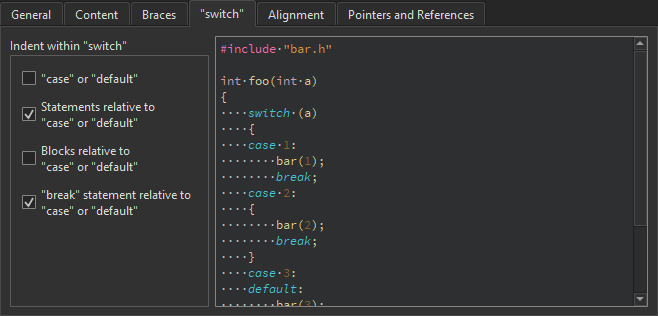
您可以缩进 switch 语句中的 case 或 default 语句,以及与之相关的语句或代码块。
指定对齐方式
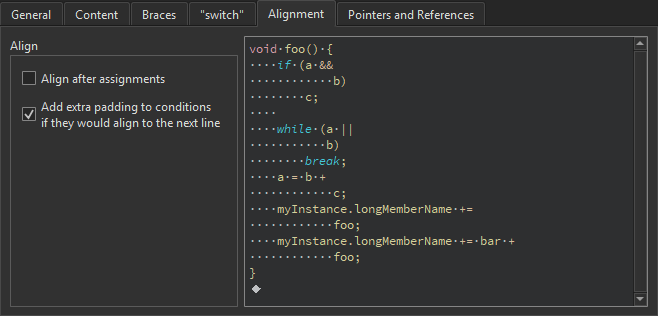
若要将续行对齐到赋值后的标记(例如= 或+= ),请选择“Align after assignments ”。您可以在“General ”选项卡中指定用于对齐续行的其他设置。
您还可以向条件语句中添加空格,使其不与下一行对齐。通常,这仅影响if 语句。
绑定指针和引用
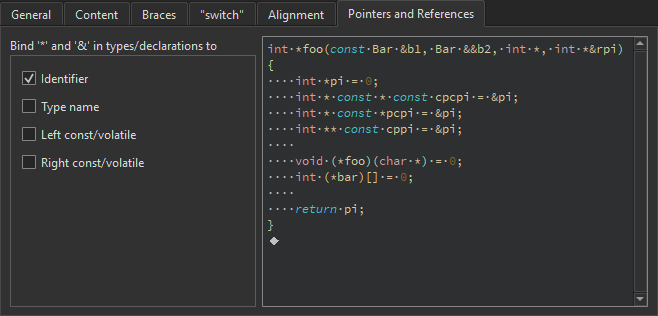
要将类型和声明中的指针(* )和引用(& )绑定到标识符、类型名或左侧或右侧的const 或volatile 关键字,请在“Pointers and References ”选项卡中选中相应的复选框。
字符* 和& 会自动绑定到函数指针和数组指针的标识符上。
通过命令行创建 ClangFormat 文件
您可以通过命令行创建具有特定预定义样式配置选项的.clang-format 文件。例如,要创建 LLVM 样式的格式文件,请输入以下命令:
clang-format -style=llvm -dump-config > .clang-format
另请参阅 “缩进文本或代码”、“指定代码样式”、“行为”、“指定Qt Quick 代码样式”以及“Nim”。
Copyright © The Qt Company Ltd. and other contributors. Documentation contributions included herein are the copyrights of their respective owners. The documentation provided herein is licensed under the terms of the GNU Free Documentation License version 1.3 as published by the Free Software Foundation. Qt and respective logos are trademarks of The Qt Company Ltd in Finland and/or other countries worldwide. All other trademarks are property of their respective owners.
