
应用快速修复
要在重构代码时应用快速修复,请在代码编辑器的上下文菜单中选择相应选项。可用的修复方案取决于光标在代码编辑器中的位置。
- 要应用快速修复:
- 在 C++ 代码中,右键单击一个操作数、条件语句、字符串或名称。
- 在 QML 代码中,右键单击项目 ID 或名称。
- 在上下文菜单中,转到“Refactoring ”,然后选择一个快速修复项。
或者,按Alt+Enter打开上下文菜单,该菜单中会显示当前光标位置可用的快速修复项。
默认情况下,重构后的文件会自动保存。要关闭此功能,请转到“Preferences ” > “Environment ” > “System ”,然后清除“Auto-save files after refactoring ”选项。
创建函数
应用快速修复功能可实现成员函数、插入基类的虚函数、创建获取器和设置器函数,以及生成构造函数。可在项目的“构建和运行”设置中,为所有项目统一指定函数生成设置,或为每个项目单独指定。
实现成员函数
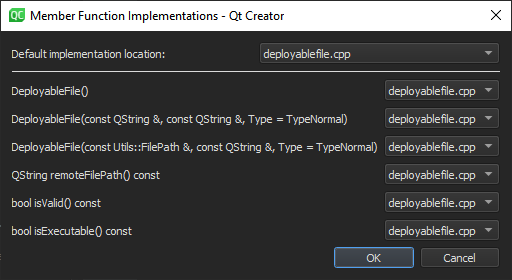
应用“Create Implementations for Member Functions ”快速修复,一次性为所有成员函数创建实现。在“Member Function Implementations ”对话框中,指定成员函数是内联生成还是在类外部生成。
插入虚函数
应用“Insert Virtual Functions of Base Classes ”快速修复,将声明及相应的定义插入到类内部、类外部或实现文件中(如果存在)。
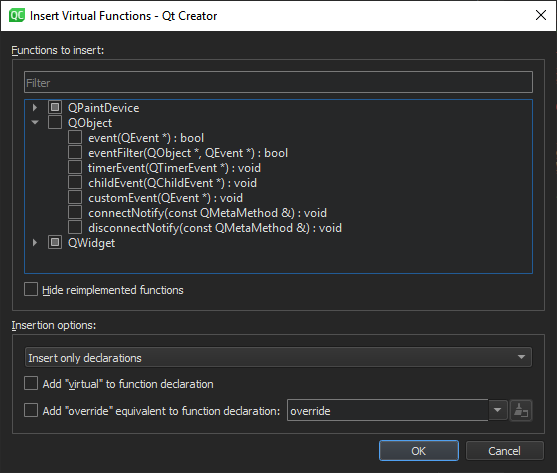
在可用函数列表中选择要插入的函数。筛选列表并隐藏其中已重新实现的函数。
您可以在函数声明中添加虚拟修饰符或其等效的override修饰符。
创建获取器和设置器
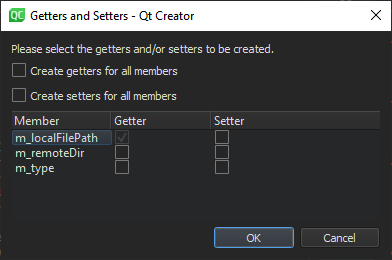
应用“Create Getter and Setter Member Functions ”快速修复,为成员变量同时创建 getter 和 setter 成员函数,或仅创建 getter 或 setter 之一。
生成构造函数
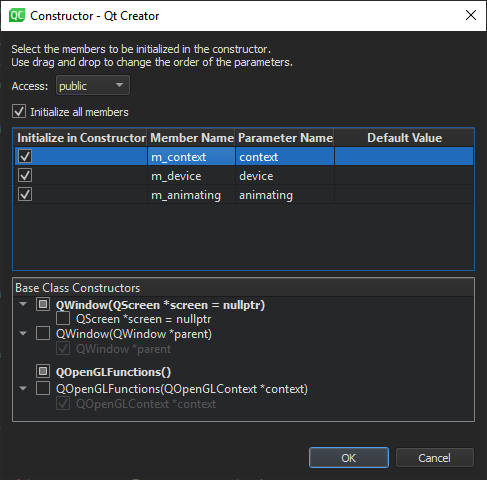
应用“Generate Constructor ”快速修复,为类创建 public、protected 或 private 构造函数。选择要在构造函数中初始化的类成员。拖动参数以指定它们在构造函数中的顺序。
将类移至单独的文件
应用“Move Class to a Dedicated Set of Source Files ”快速修复,将类移动到一组独立的头文件和实现文件中。
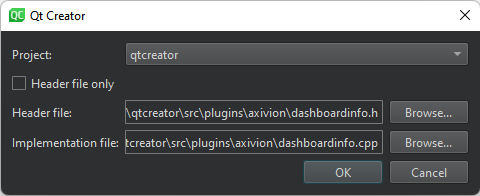
为头文件和实现文件指定路径和文件名。
若要省略实现文件,请选择“Header file only ”。
另请参阅 “查找符号”、“指定快速修复设置”、“快速修复”、“C++ 快速修复”、“重命名符号”和“QML 快速修复”。
Copyright © The Qt Company Ltd. and other contributors. Documentation contributions included herein are the copyrights of their respective owners. The documentation provided herein is licensed under the terms of the GNU Free Documentation License version 1.3 as published by the Free Software Foundation. Qt and respective logos are trademarks of The Qt Company Ltd in Finland and/or other countries worldwide. All other trademarks are property of their respective owners.
