WebEngine Widgets PrintMe Example#
Demonstrates how to print web pages using Qt WebEngine Widgets.
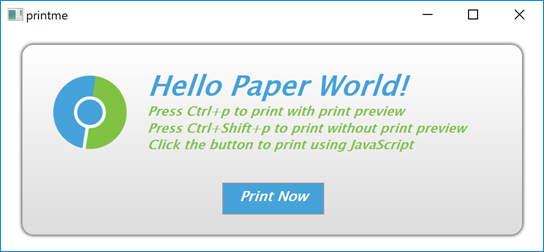
PrintMe demonstrates how to use the QWebEnginePage and QPrintDialog classes to print a web page. Further, it shows how to implement print preview by using the QPrintPreviewDialog class. For completeness, it also illustrates how to trigger a printing request within JavaScript.
Running the Example#
To run the example from Qt Creator , open the Welcome mode and select the example from Examples. For more information, visit Building and Running an Example .
Simple HTML Page#
In this example, we create an internal HTML page that is added as a resource collection file (.qrc). The page shows only a small HTML message box that explains how to trigger printing by using keyboard shortcuts or clicking a button. The button has the JavaScript onclick event attribute that calls the JavaScript window.print() function.
Main Function#
In the main function, we first instantiate a QWebEngineView and set the URL to our internal HTML page. Next, we create a PrintHandler instance and pass the requested page. For convenience, we also create keyboard shortcuts that can be used to call a print dialog or print preview dialog.
Print Handler#
In the PrintHandler class, we first implement printPreview(), where we instantiate QPrintPreviewDialog . We need the paintRequested handle to generate a set of preview pages.
Now we can implement the PrintHandler::printDocument() slot, which is called in response to the paintRequested signal. To do actual painting on a printer, we call the print() function. Because this call is asynchronous, we need to use a local event loop. We begin the local event loop by calling exec() .
To get notified about the result of printing job, we implement PrintHandler::printFinished() slot as handler of printFinished() signal. We check for success and report any errors that occurred.
The last function we implement, PrintHandler::print(), is trivial, because it simply opens QPrintDialog and calls the previously implemented PrintHandler::printDocument().