
vcpkg を使用した Windows へのインストール例
vcpkg を使用して、Windows に Protobuf および gRPC™ パッケージをインストールできます。
注: 別の方法として 、ProtobufおよびgRPC パッケージを手動でビルドすることも可能です。ビルド手順については、Protobufおよび gRPCの各ドキュメントを参照してください。
Windows でのインストールに必要な前提条件:
vcpkg は、クロスプラットフォーム対応のC/C++パッケージマネージャーです。vcpkg を使用して、Protobuf、gRPC およびその依存関係をインストールできます:
.\vcpkg.exe install protobuf protobuf:x64-windows
.\vcpkg.exe install grpc:x64-windows
注: マニフェストモードの使用を推奨します 。このモードでは、宣言型の JSON ファイルを使用してプロジェクトのメタデータを記述します。マニフェストファイルの名前は vcpkg.json である必要があります。
これで、ProtobufおよびgRPC をサポートするQtベースのプロジェクトをビルドして実行できるようになります。例えば、インストール済みのQtから「Magic 8 Ball」を実行してみてください。このサンプルでは、Magic 8 Ball がアプリケーションのサーバー部分用にネイティブC++ソースコードジェネレータプラグインを使用しているため、両方のパッケージがインストールされている必要があります。「Magic 8 Ball 」サンプルを起動するには、以下の手順が必要です:
Examplesセクションで「Magic 8 Ball」を探します: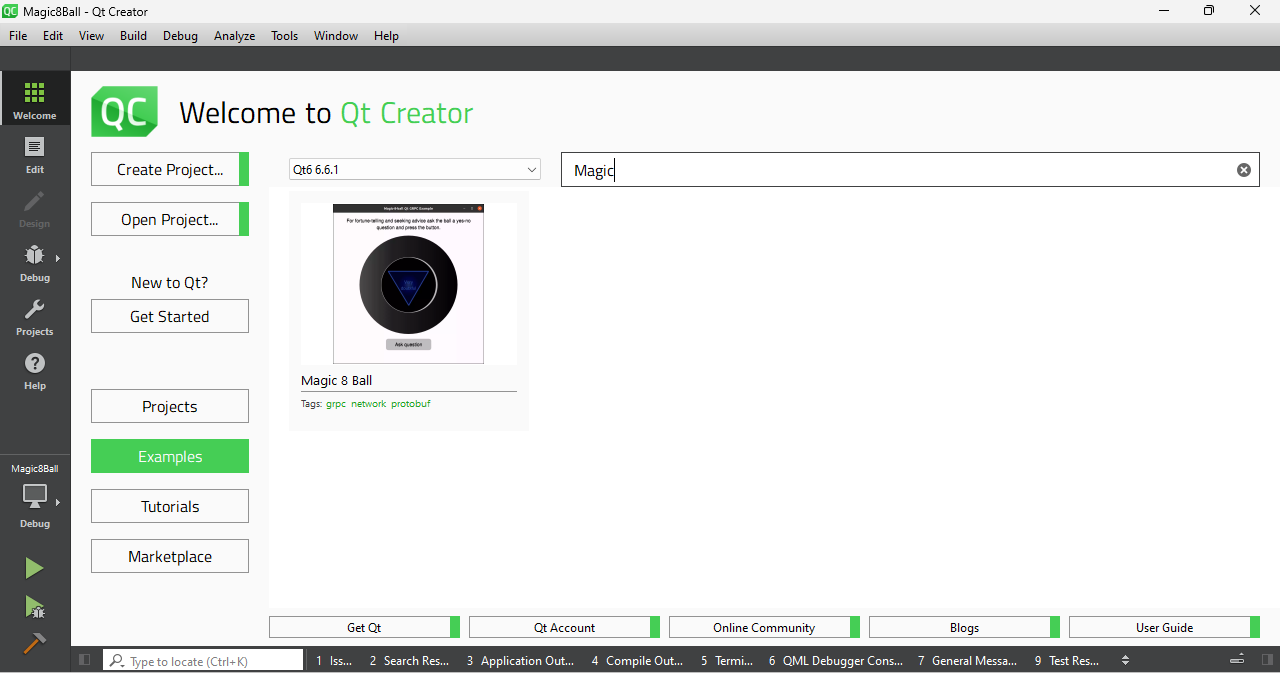
- Qt Creatorの設定から、MSVCベースのビルドキットを選択します:
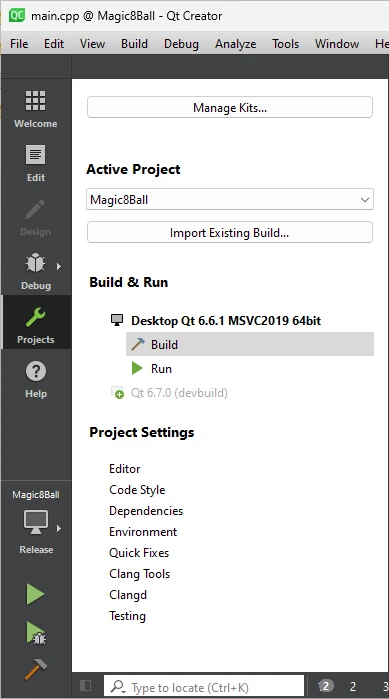
Initial Configurationの設定ブロック内にあるCMAKE_PREFIX_PATH環境変数に、インストール済みのProtobufおよびgRPC パッケージへのパスを追加します: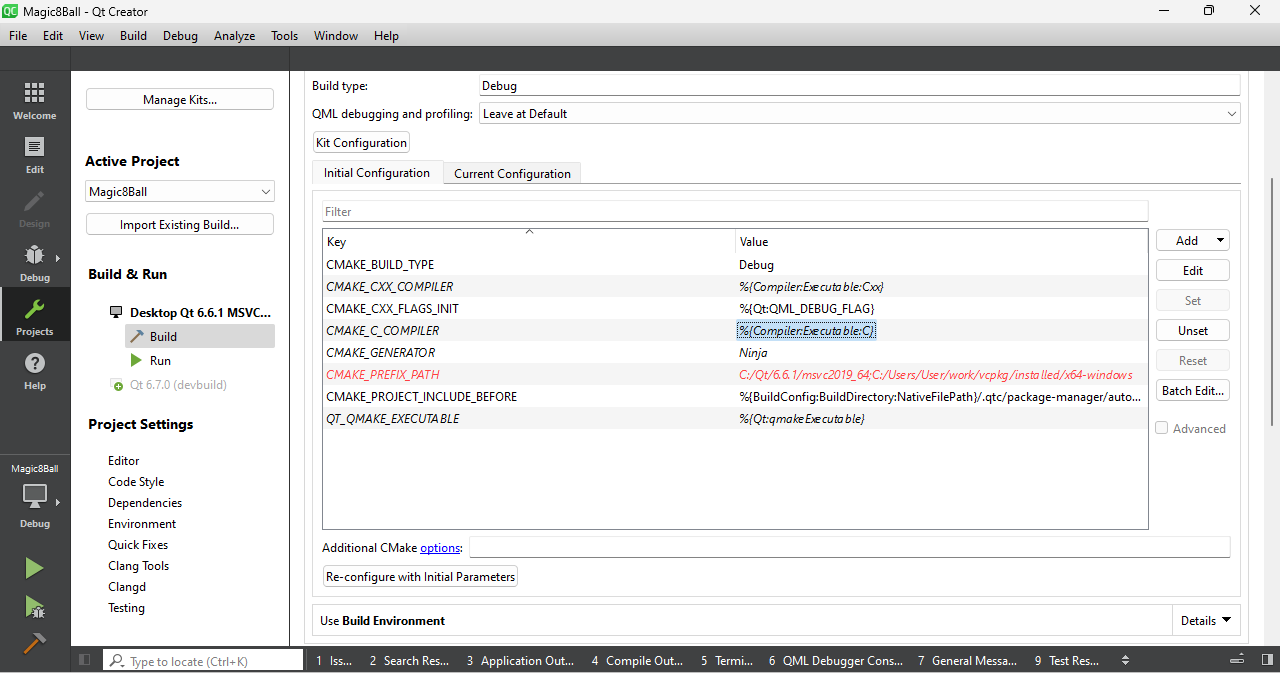
- ビルドして実行します。
© 2026 The Qt Company Ltd. Documentation contributions included herein are the copyrights of their respective owners. The documentation provided herein is licensed under the terms of the GNU Free Documentation License version 1.3 as published by the Free Software Foundation. Qt and respective logos are trademarks of The Qt Company Ltd. in Finland and/or other countries worldwide. All other trademarks are property of their respective owners.
