
RectangularGlow QML Type
ぼかしと色付けが施された長方形を生成し、元画像が光っているような印象を与えます。詳細...
| Import Statement: | import Qt5Compat.GraphicalEffects |
| Since: | QtGraphicalEffects 1.0 |
| Inherits: |
プロパティ
- cached : bool
- color : color
- cornerRadius : real
- glowRadius : real
- spread : real
詳細な説明
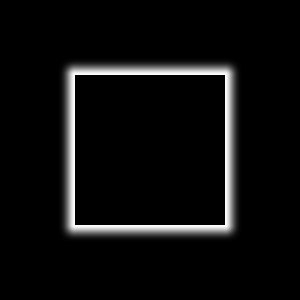
このエフェクトは、優れたパフォーマンスを発揮するように設計されています。グローの形状は、角の半径をカスタマイズできる長方形に限定されています。独自の形状が必要な場合は、「Glow 」エフェクトをご検討ください。
| エフェクト適用後 |
|---|
|
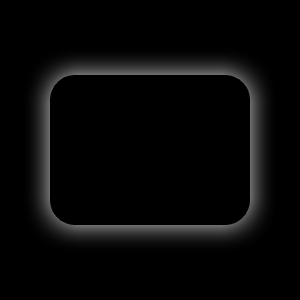
例
以下の例は、このエフェクトの適用方法を示しています。
import QtQuick
import Qt5Compat.GraphicalEffects

Item {
    width: 300
    height: 300

    Rectangle {
        id: background
        anchors.fill: parent
        color: "black"
    }

    RectangularGlow {
        id: effect
        anchors.fill: rect
        glowRadius: 10
        spread: 0.2
        color: "white"
        cornerRadius: rect.radius + glowRadius
    }

    Rectangle {
        id: rect
        color: "black"
        anchors.centerIn: parent
        width: Math.round(parent.width / 1.5)
        height: Math.round(parent.height / 2)
        radius: 25
    }
}
プロパティのドキュメント
cached : bool
このプロパティを使用すると、エフェクトの出力ピクセルをキャッシュして、レンダリングパフォーマンスを向上させることができます。
ソースまたはエフェクトのプロパティが変更されるたびに、キャッシュ内のピクセルを更新する必要があります。エフェクトの出力を保存するために追加のメモリバッファが必要となるため、メモリ消費量が増加します。
ソースやエフェクトのプロパティがアニメーション化される場合は、キャッシュを無効にすることをお勧めします。
デフォルトでは、このプロパティは「false 」に設定されています。
color : color
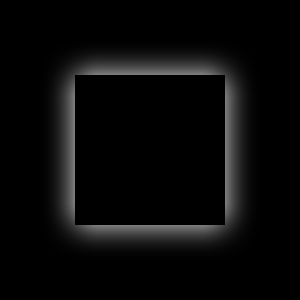
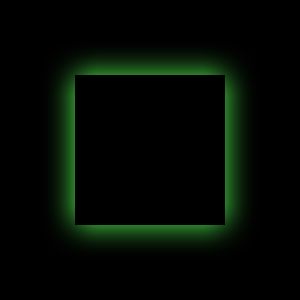
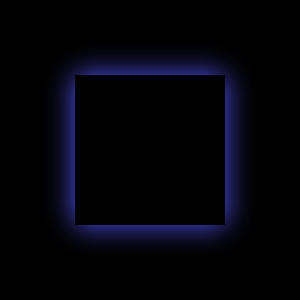
このプロパティは、グローに使用されるRGBAカラー値を定義します。
デフォルトでは、このプロパティは"white" に設定されています。
| 異なる色値による出力例 | ||
|---|---|---|
|
|
|
| color: #ffffff | color: #55ff55 | color: #5555ff |
| glowRadius: 20 | glowRadius: 20 | glowRadius: 20 |
| spread: 0 | spread: 0 | spread: 0 |
| cornerRadius: 25 | cornerRadius: 25 | cornerRadius: 25 |
cornerRadius : real
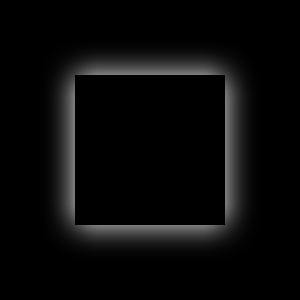
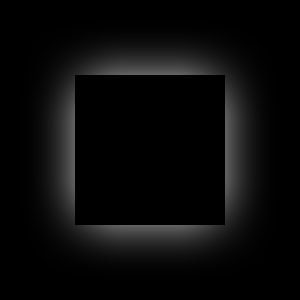
このプロパティは、角が丸いグローを描画するために使用される角の半径を定義します。
値の範囲は 0.0 から、グローの実効幅または実効高さのいずれか小さい方の半分までです。これは次の式で計算できます:min(width, height) / 2.0 + glowRadius
デフォルトでは、このプロパティはglowRadius プロパティに紐付けられています。glowRadius プロパティを調整すると、グローはあたかも長方形がぼかされたかのように振る舞います。
| さまざまな cornerRadius 値を用いた出力例 | ||
|---|---|---|
|
|
|
| cornerRadius: 0 | cornerRadius: 25 | cornerRadius: 50 |
| glowRadius: 20 | glowRadius: 20 | glowRadius: 20 |
| spread: 0 | spread: 0 | spread: 0 |
| color: #ffffff | color: #ffffff | color: #ffffff |
glowRadius : real
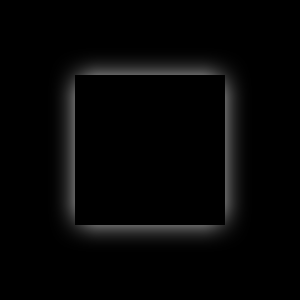
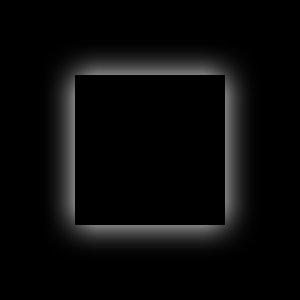
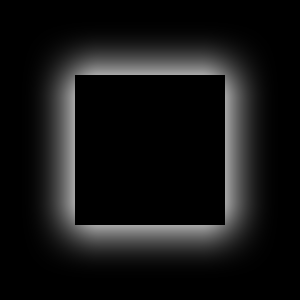
このプロパティは、アイテム領域の外側までグローがどの程度広がるかを定義します。
値の範囲は 0.0(グローなし)から inf(無限のグロー)までです。デフォルトでは、このプロパティは0.0 に設定されています。
| glowRadiusの値を変えた場合の出力例 | ||
|---|---|---|
|
|
|
| glowRadius: 10 | glowRadius: 20 | glowRadius: 40 |
| spread: 0 | spread: 0 | spread: 0 |
| color: #ffffff | color: #ffffff | color: #ffffff |
| cornerRadius: 25 | cornerRadius: 25 | cornerRadius: 25 |
spread : real
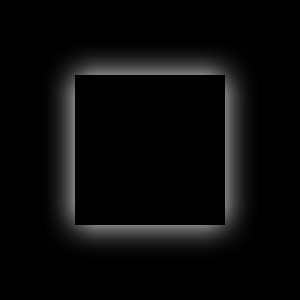
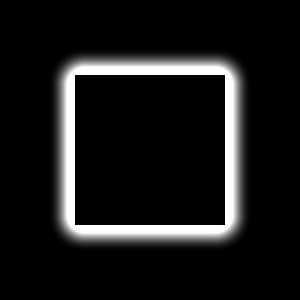
このプロパティは、光源の縁付近でグローカラーがどの程度強調されるかを定義します。
値の範囲は 0.0(強度の上昇なし)から 1.0(最大強度の上昇)までです。デフォルトでは、このプロパティは0.0 に設定されています。
| さまざまなspread値での出力例 | ||
|---|---|---|
|
|
|
| spread: 0.0 | spread: 0.5 | spread: 1.0 |
| glowRadius: 20 | glowRadius: 20 | glowRadius: 20 |
| color: #ffffff | color: #ffffff | color: #ffffff |
| cornerRadius: 25 | cornerRadius: 25 | cornerRadius: 25 |

© 2026 The Qt Company Ltd. Documentation contributions included herein are the copyrights of their respective owners. The documentation provided herein is licensed under the terms of the GNU Free Documentation License version 1.3 as published by the Free Software Foundation. Qt and respective logos are trademarks of The Qt Company Ltd. in Finland and/or other countries worldwide. All other trademarks are property of their respective owners.
