Which IDEs Are Compatible?
Qt for Python, as any other Python module, can be used in any Python-compatible IDE, but not all of them will provide extra functionality like Qt Creator does.
Besides writing files, there are some external steps you might want to perform in order to help the development of your applications:
From a terminal:
Generating a Python file from a
.uifile: pyside6-uic form.ui -o ui_form.pyGenerating a Python file from a
.qrcfile: pyside6-rcc resources.qrc -o rc_resources.pyOpening Qt Widgets Designer with the command pyside6-designer to edit/create
.uifiles (see Using .ui files from Designer or QtCreator with QUiLoader and pyside6-uic).
External add-ons/plugins from your favorite IDE might include configuration steps to run these commands, or open external tools like Qt Widgets Designer and Qt Creator.
QtCreator
You can create new projects based on some basic templates that are currently available in Qt Creator. After selecting one, you will pass through some steps where you can specify the details of the template, like the project name, base Qt class to use for your interface, among others.
Here you can see an animation of the creation of a project:
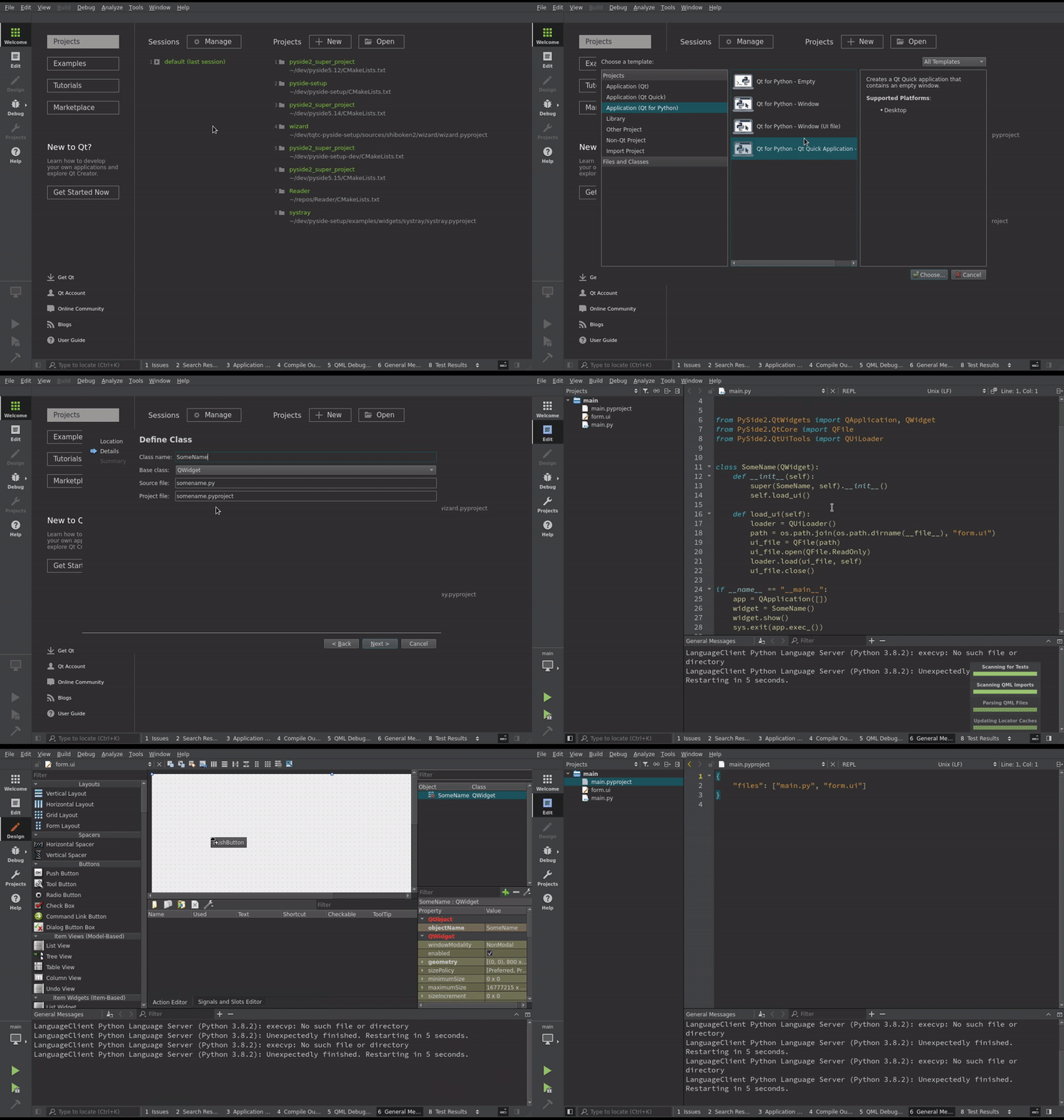
More information can be found at Develop Qt for Python applications.
Visual Studio Code
For Visual Studio Code, we recommend using the Qt Python VSCode Extension.
PyCharm
You can configure PyCharm to enable external tools, in Qt for Python terms,
Qt Widgets Designer, and Qt Creator. Go to
File > Settings > tools > PyCharm External Tools, and include the following
information to add them to your project.
Later, you will be able to right click a .ui file, and select
Qt Widgets Designer, pyside6-uic, or any tool that you configured this
way.